Web Settings
Manage Pages
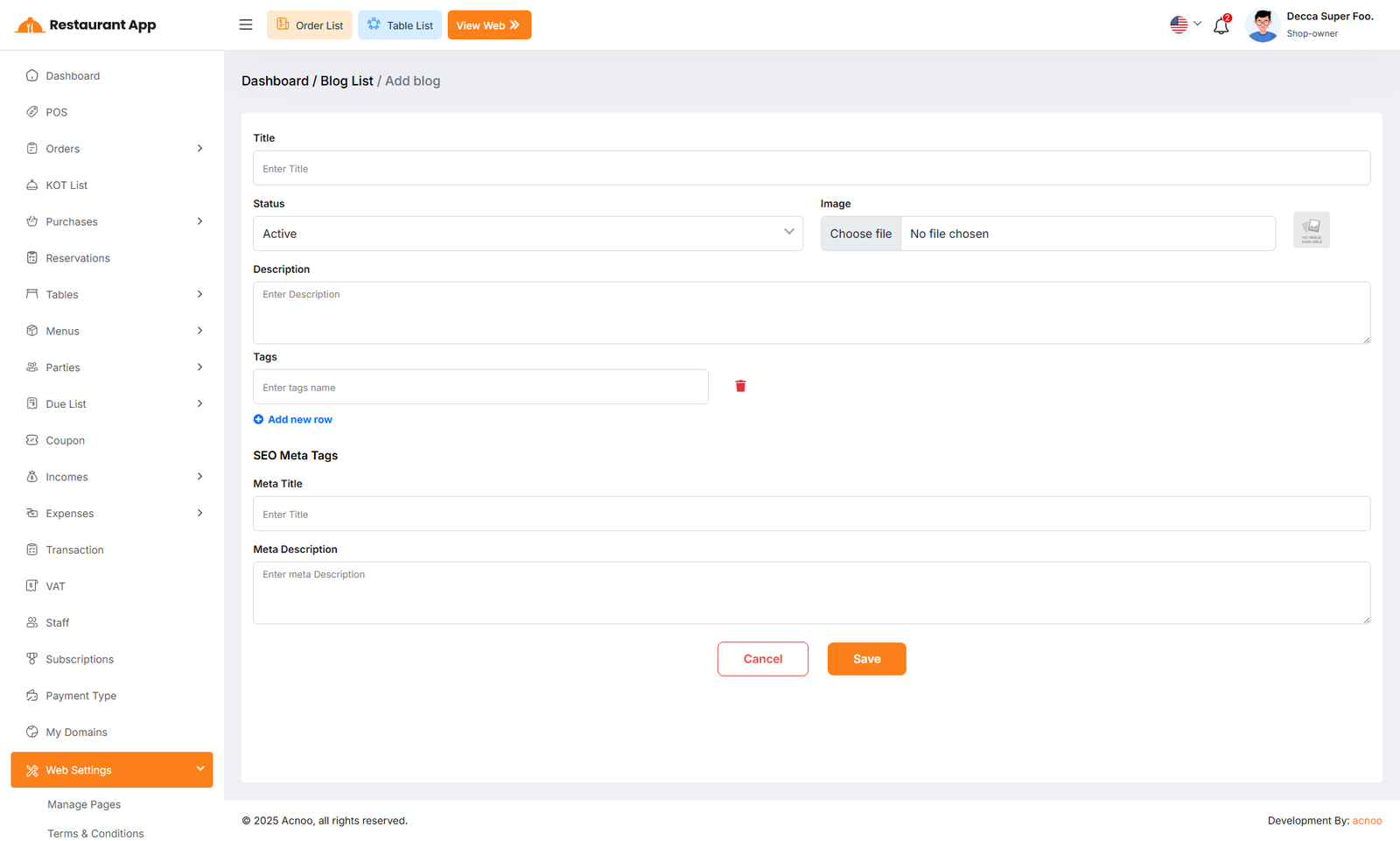
The Manage Pages section under Web Settings provides a comprehensive Content Management System (CMS) for the restaurant's online storefront. It allows administrators to update text, images, and links for every section of the website without requiring technical coding knowledge.
The left-hand sidebar lists all editable modules of the online store. Clicking a section updates the main form on the right.
Hero Section The first part of the website users see, containing the main greeting and featured call-to-action.
Informational Pages Includes detailed content areas such as the About Page, Contact Page, Terms & Conditions, and Privacy Policy.
Fulfillment Sections Content blocks related to Service (delivery/pickup), Menu previews, Table information, and Mobile App promotion.
Engagement Sections Areas for social proof and dynamic content, including Testimonials, Blog posts, and Social Media links.
Term and Conditions
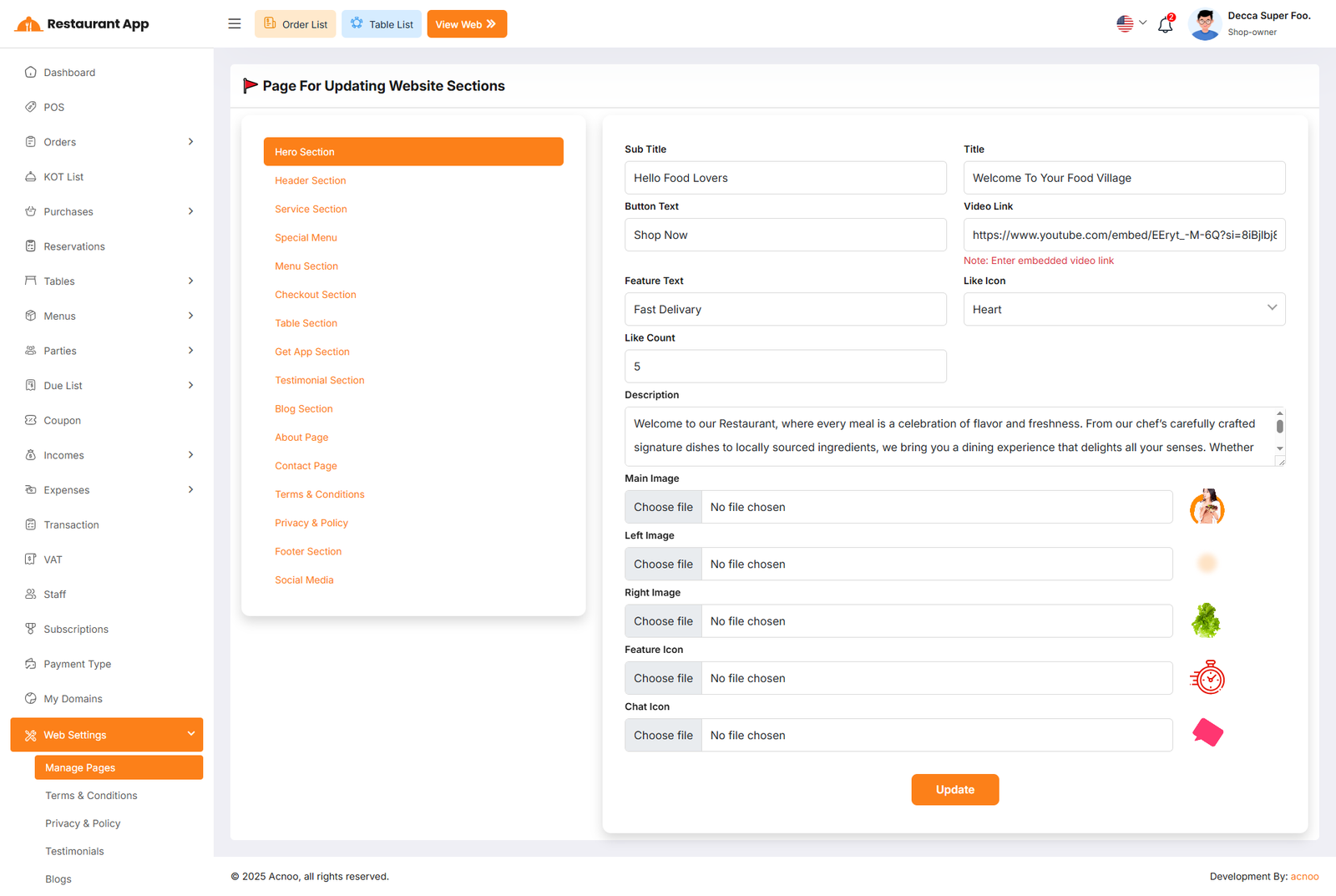
The Terms & Conditions Settings page, located under the Web Settings menu, allows administrators to define the legal framework and usage policies for the restaurant’s digital platforms. This content is vital for establishing transparency regarding user data, app functionality, and service agreements.
Privacy and Policy
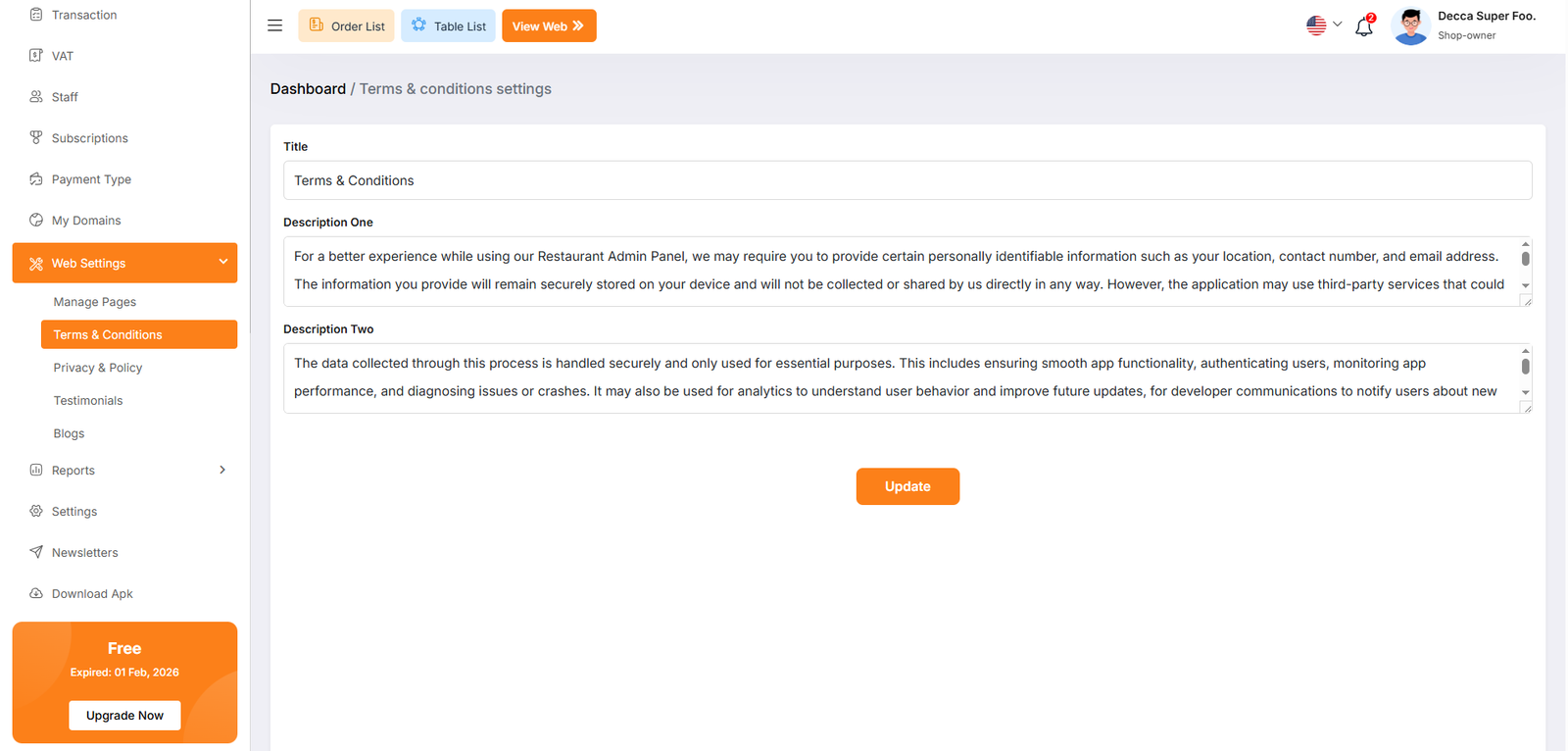
The Privacy & Policy Settings page, found under the Web Settings menu, allows administrators to configure the legal privacy disclosures for the restaurant's digital platforms. This content is essential for informing users about how their data is collected, stored, and utilized.
Testimonials
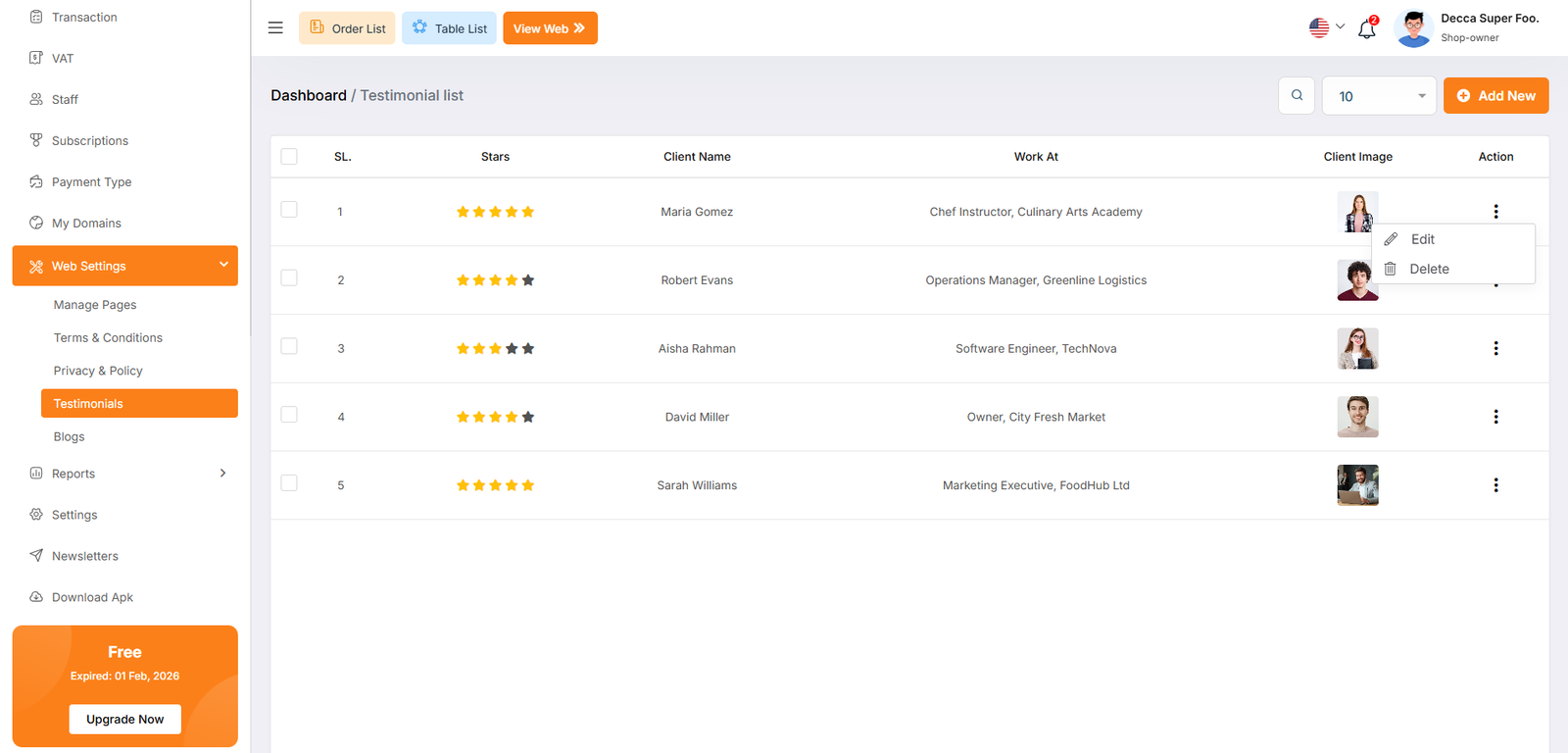
The Testimonial List page, located under the Web Settings menu, allows administrators to manage customer feedback and social proof displayed on the restaurant's website. This section is vital for building trust with potential diners by showcasing positive experiences from previous clients.
Each testimonial entry features a three-dot menu icon to access management options.
Edit Opens a modal or page to update the client's information, rating, or testimonial text.
Delete Permanently removes the testimonial from the database and the website.
Testimonial Create
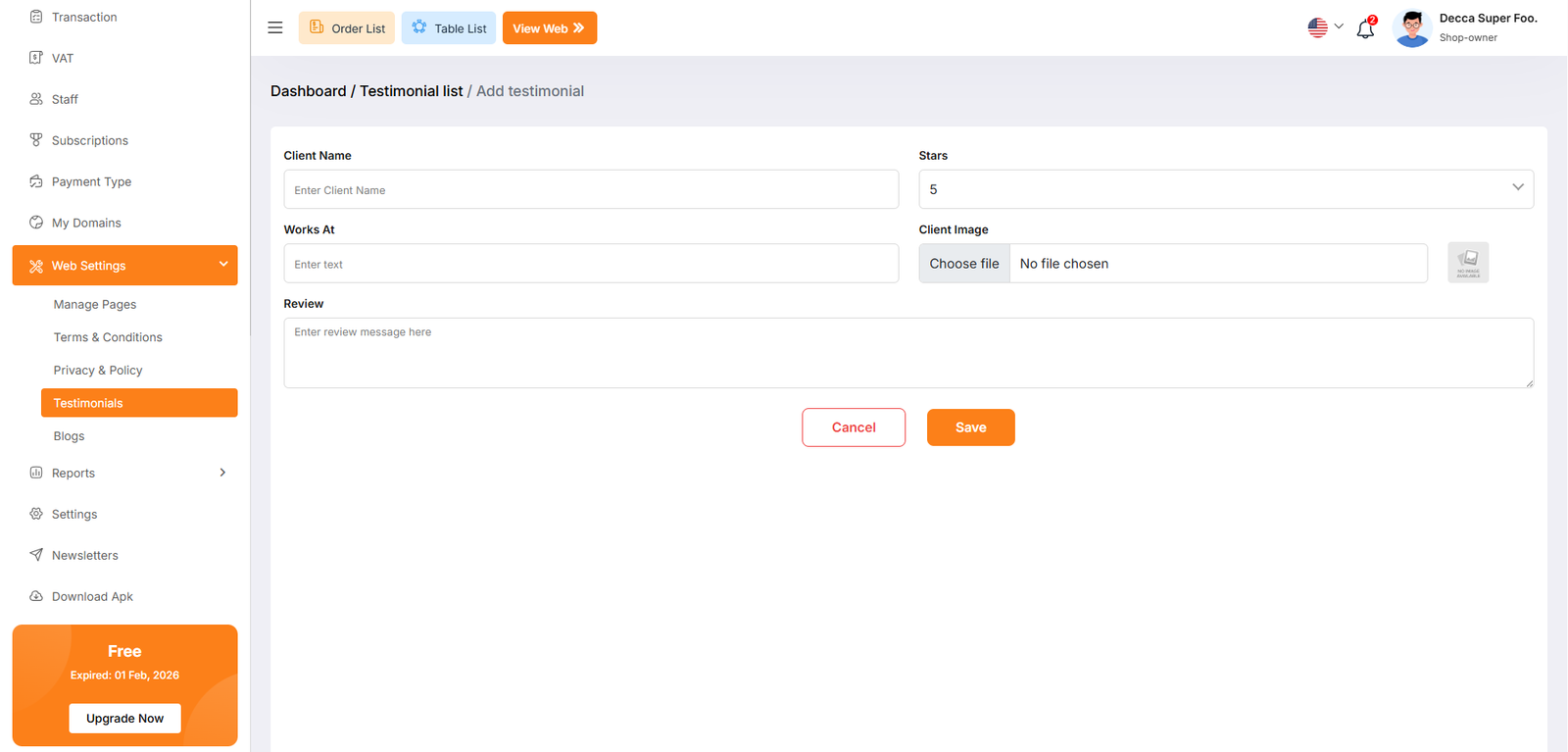
The Add Testimonial page, located under Web Settings > Testimonials, provides a dedicated interface for administrators to manually enter customer feedback. This information is used to populate the social proof section of the restaurant's online storefront.
Blog List
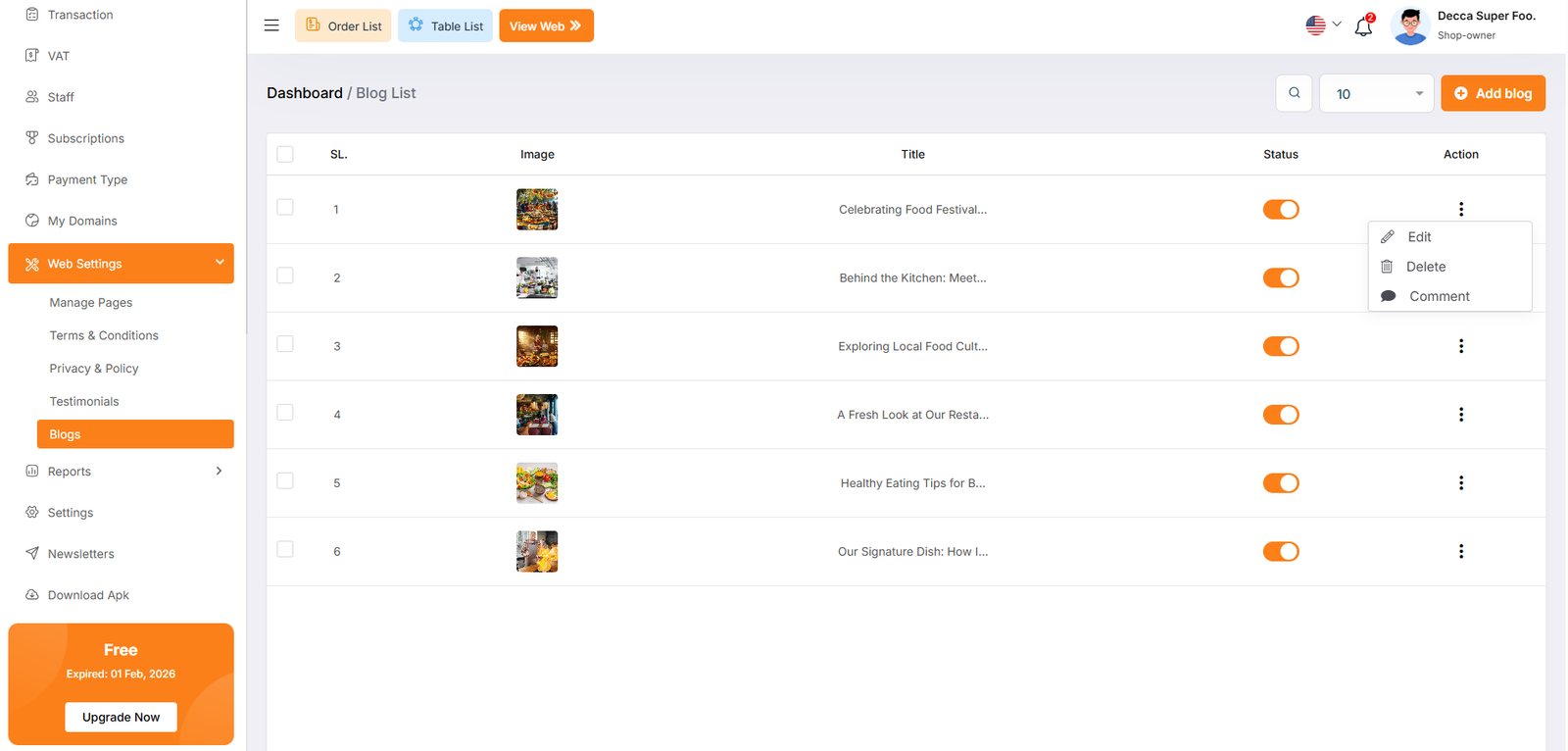
The Blog List page, located under the Web Settings menu, serves as the content management hub for the restaurant's website articles. This section allows administrators to share news, culinary tips, and behind-the-scenes updates to engage customers and improve the site's search engine visibility.
Blog Create
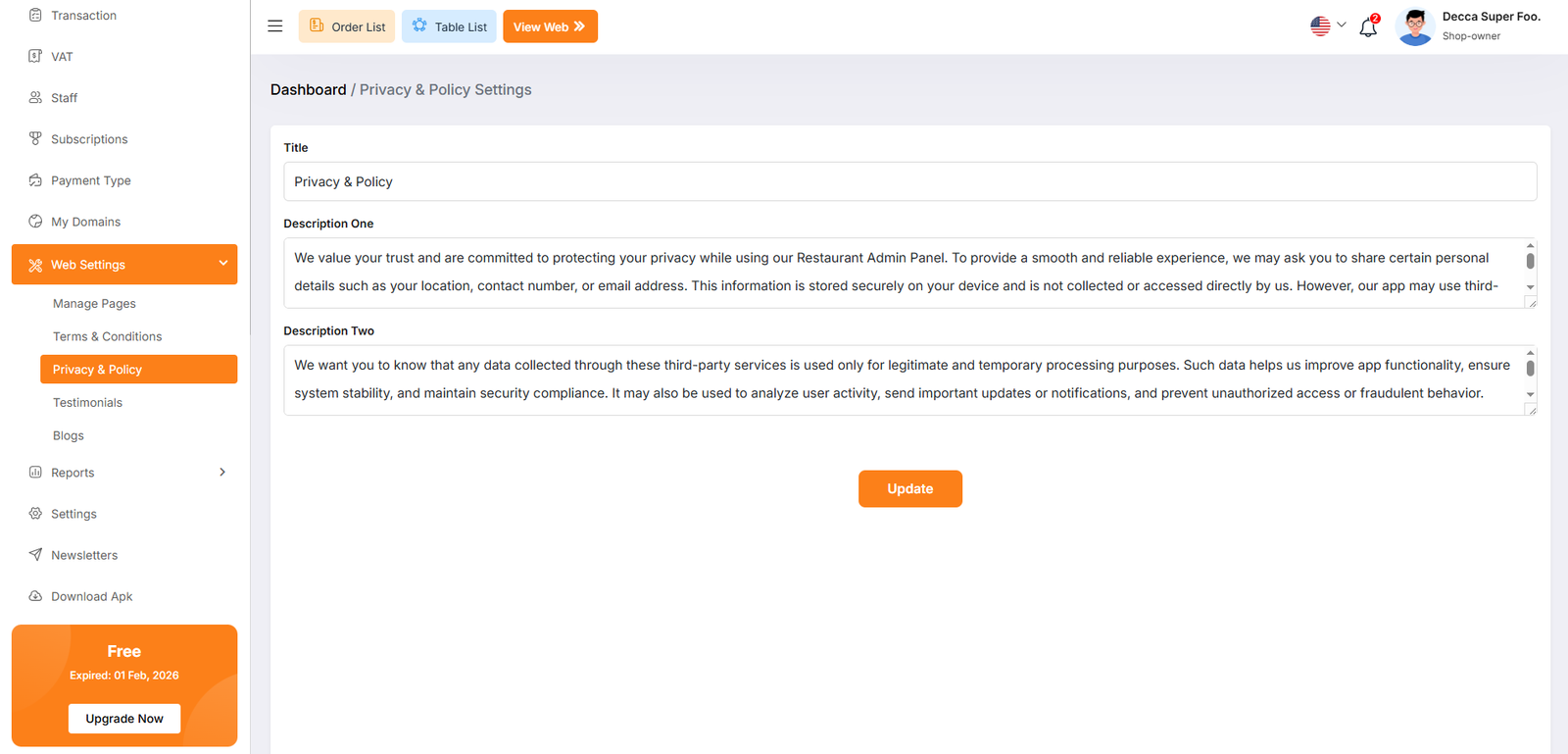
The Add Blog page, located under Web Settings > Blogs, provides a comprehensive interface for administrators to create and optimize articles for the restaurant's website. This tool is designed to manage both the visual content and the underlying metadata for search engine optimization (SEO).