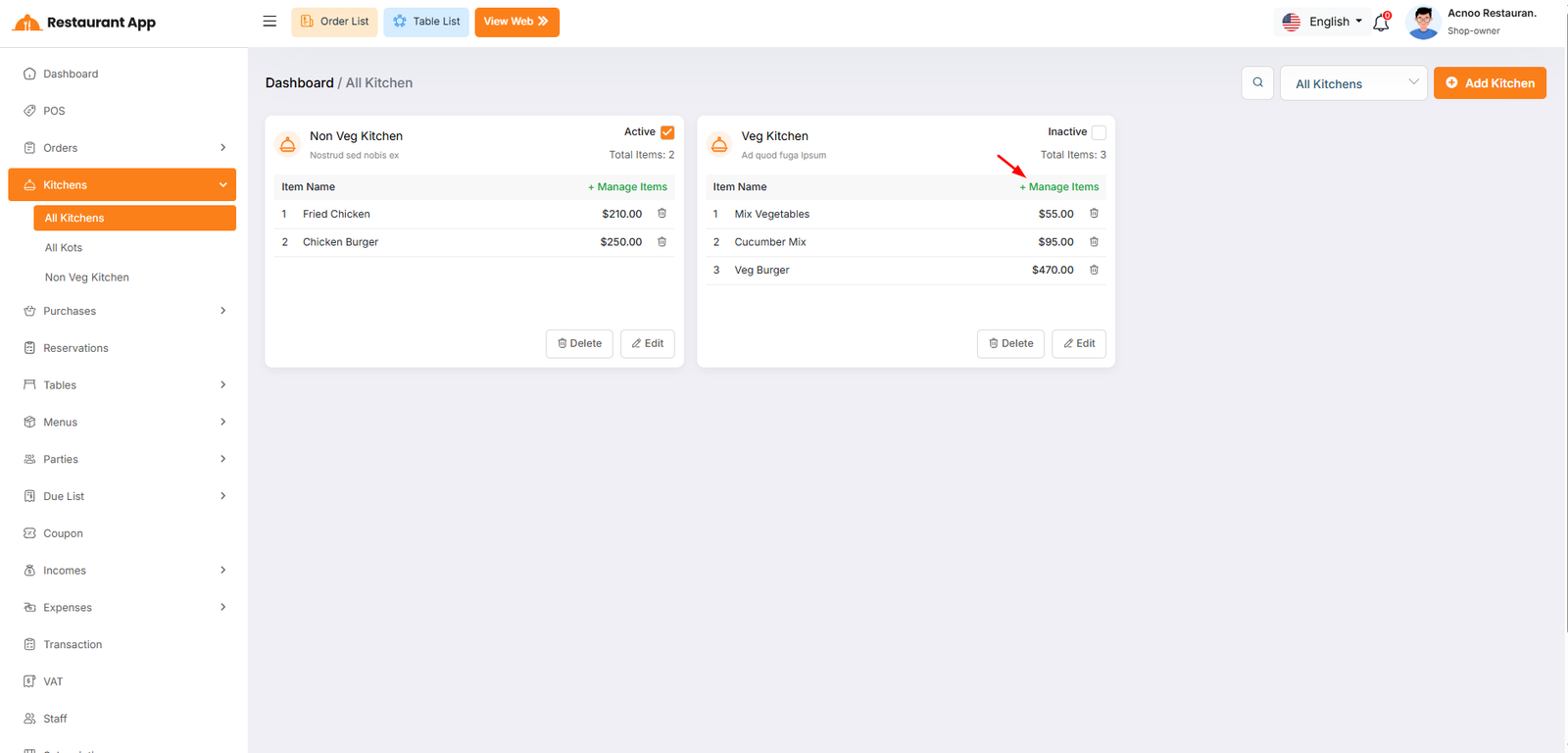
Kitchens
All Kitchen
The Kitchens module is designed to streamline restaurant operations by separating food preparation into logical units (e.g., Non-Veg Kitchen, Veg Kitchen). This ensures that orders are routed to the correct staff and inventory is managed efficiently.
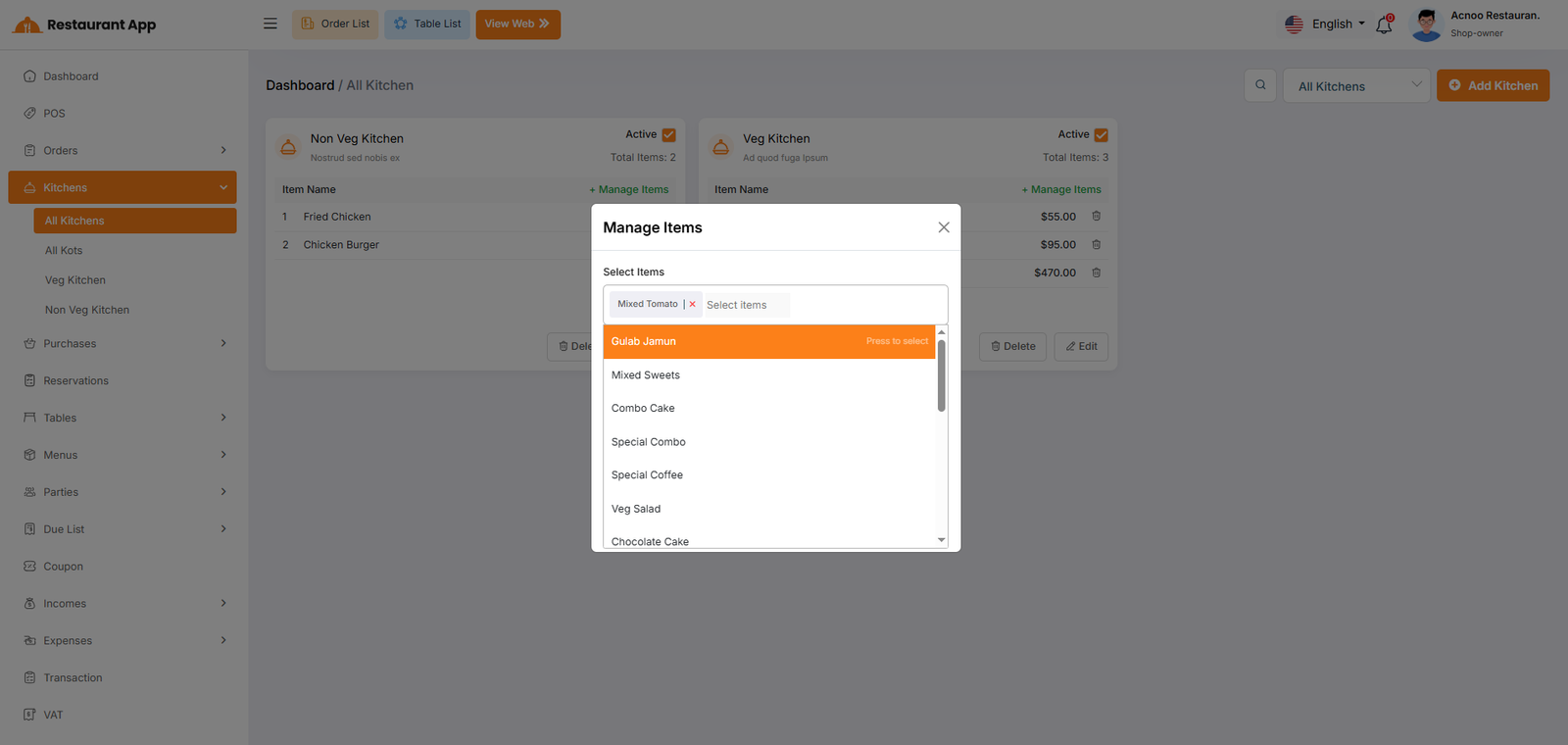
Manage Items
Operational Segmentation: It allows a restaurant to split food preparation into specific stations, such as a "Veg Kitchen" and a "Non-Veg Kitchen". Order Routing: By assigning items to specific kitchens, the system ensures that when an order is placed, the ticket is sent to the correct preparation area. Status Control: Owners can quickly toggle a kitchen to "Inactive" if a station is closed for the day, preventing orders from being routed there.
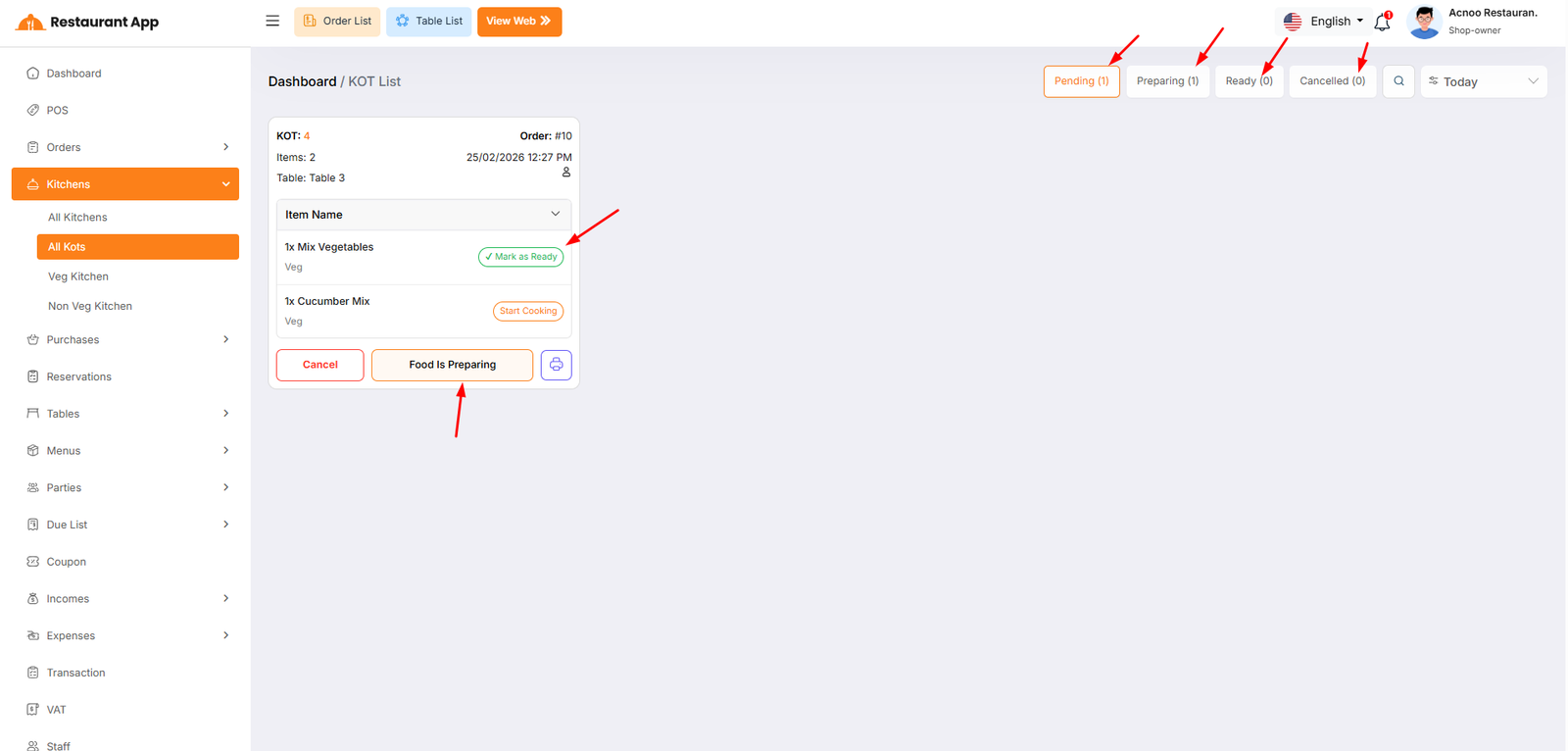
All KOTS
The KOT List page is the central hub for kitchen staff and management to track, manage, and fulfill food and beverage orders. This interface ensures a seamless flow from the point of sale to the kitchen and finally to the customer.
Start Cooking Moves an individual item from "Pending" to "Preparing" status.
Mark as Ready Signals that a specific item is finished and ready for the server.
Food Is Preparing Updates the status of the entire KOT card to the "Preparing" stage.
Cancel Immediately halts the order and moves it to the "Cancelled" tab.
Print (Icon) Generates a physical kitchen ticket for the chefs.