Uploading Files
ଟିପ୍ପଣୀ
On some operating systems, dotfiles are hidden by default. Before starting to upload the files, please make sure your file explorer has the option to view hidden files turned on.
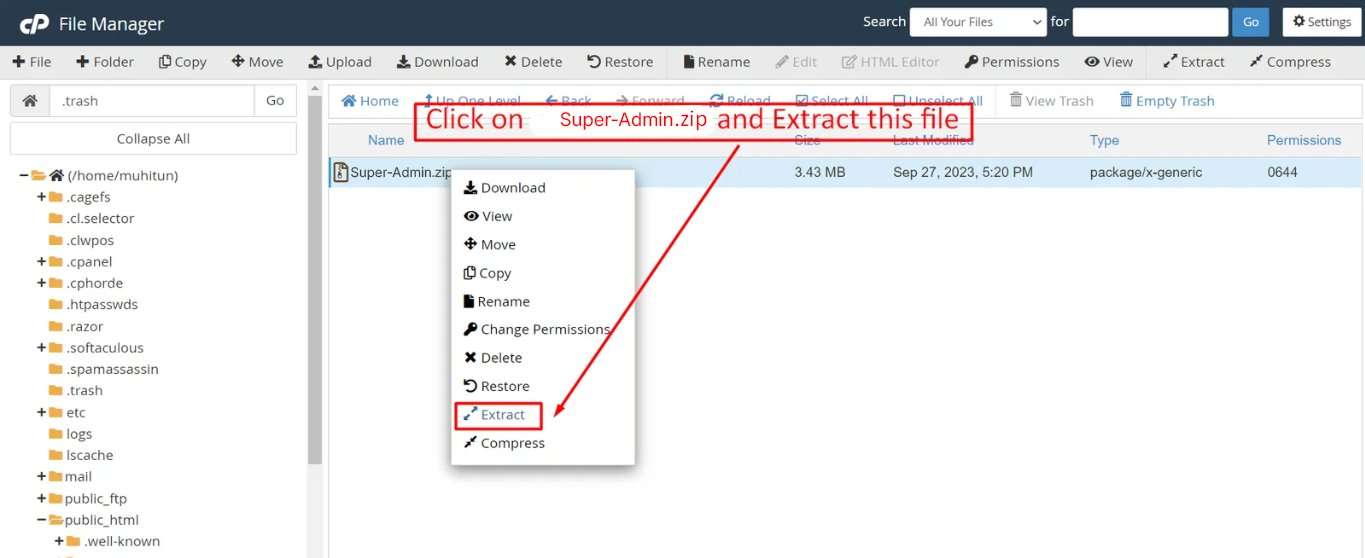
After creating a database, upload the Super-Admin.zip file to the web root folder of your domain. This folder is generally called public_html, html, or example.com, but depending on your server's configuration, it might be named differently.
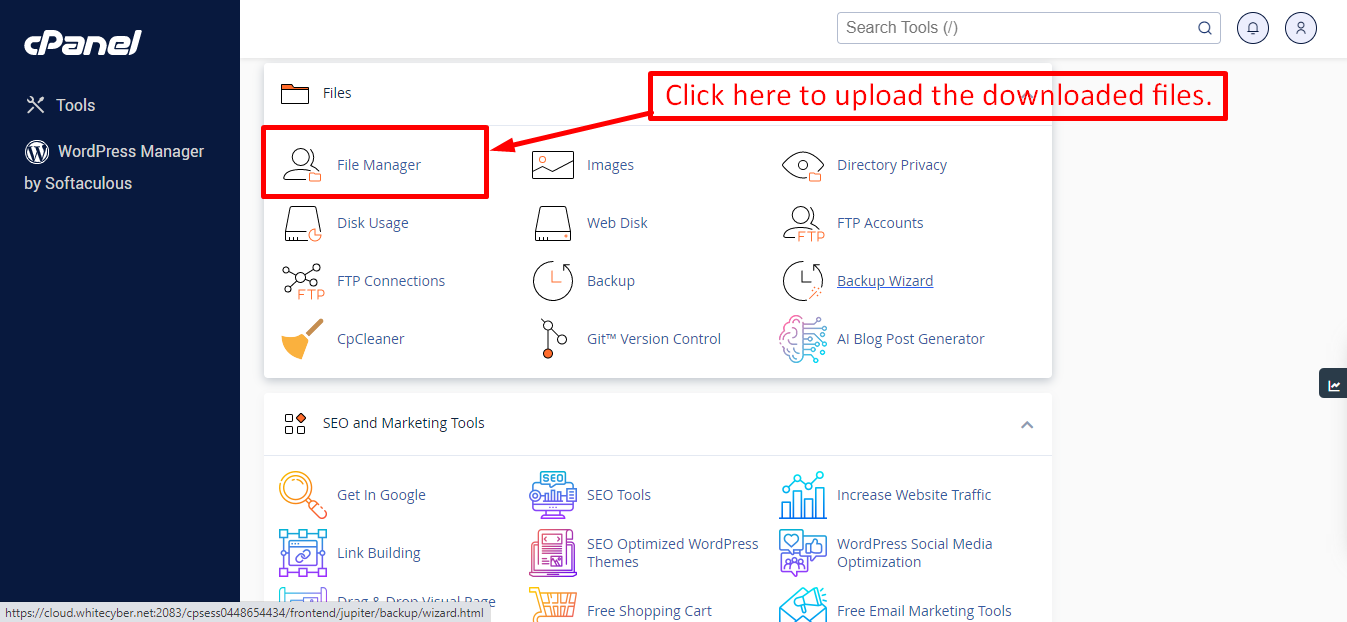
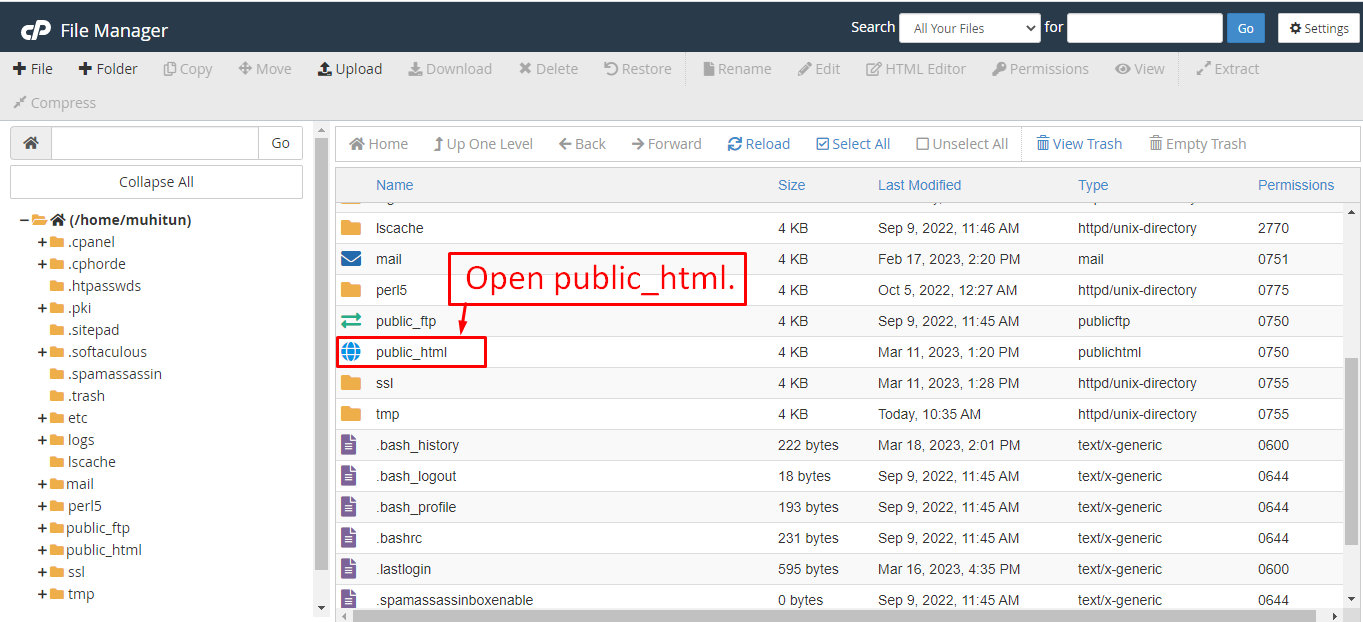
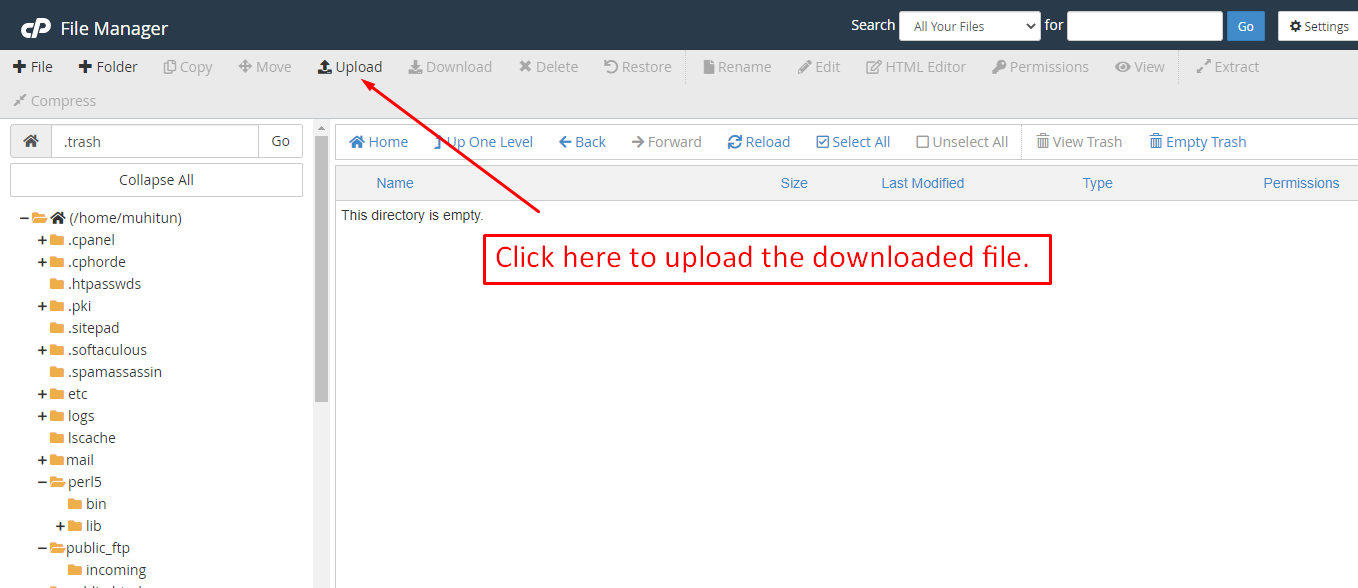
After that, in the public_html directory, upload the downloaded file.
ଟିପ୍ପଣୀ
Important: Make sure that you have a .env file in your folder.
ଟିପ୍ପଣୀ
Make sure that the .htaccess file got copied properly from the download to your server.