Store List
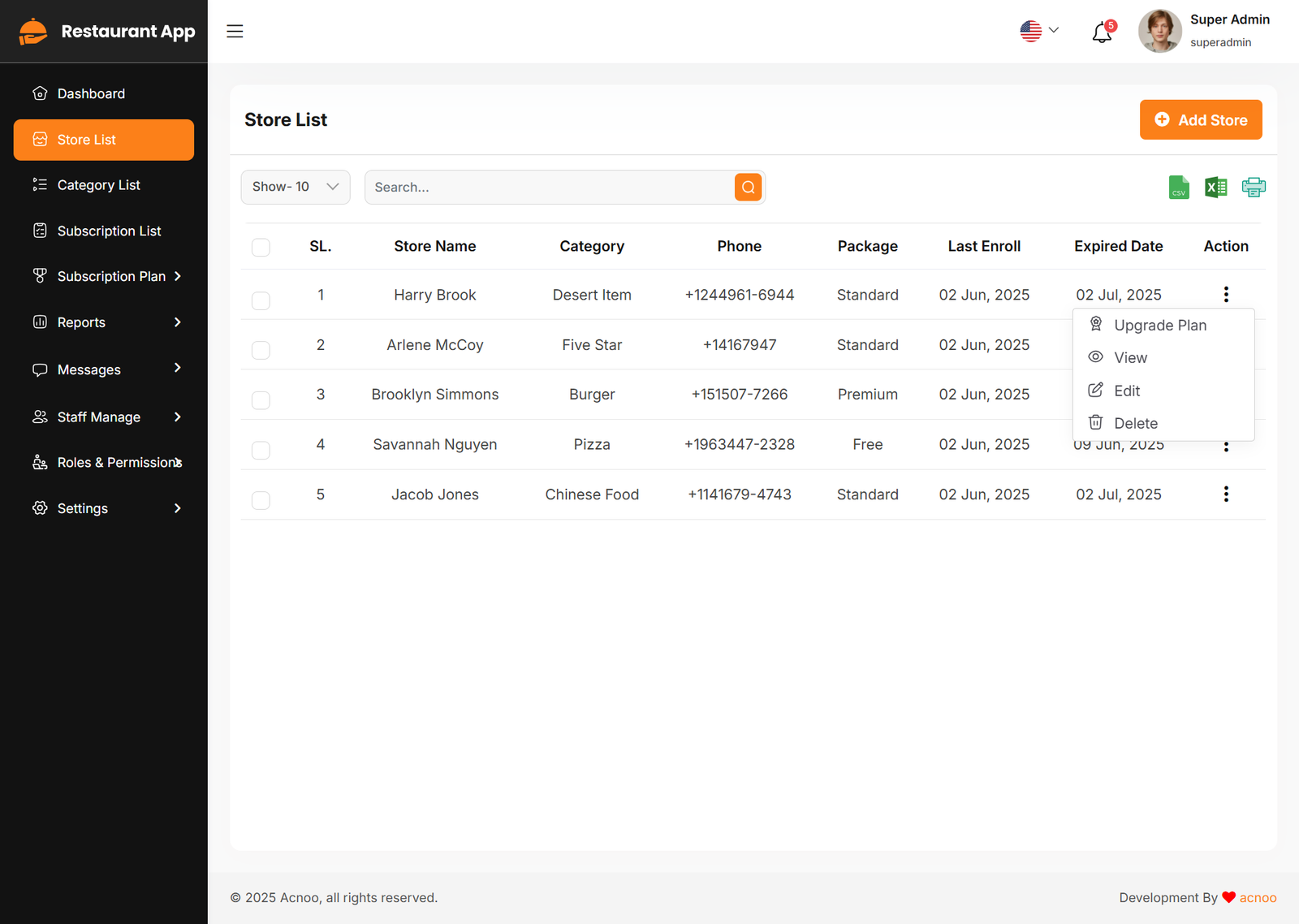
This appears to be a screenshot of a business list page. Business list functionalities typically allow users to collect and organize information about businesses. By clicking the "View" button, you can see the details of each business. You can also create a new business by clicking the "Add Store" button. Below, we'll describe how you can create a new store.
Upgrade Plan
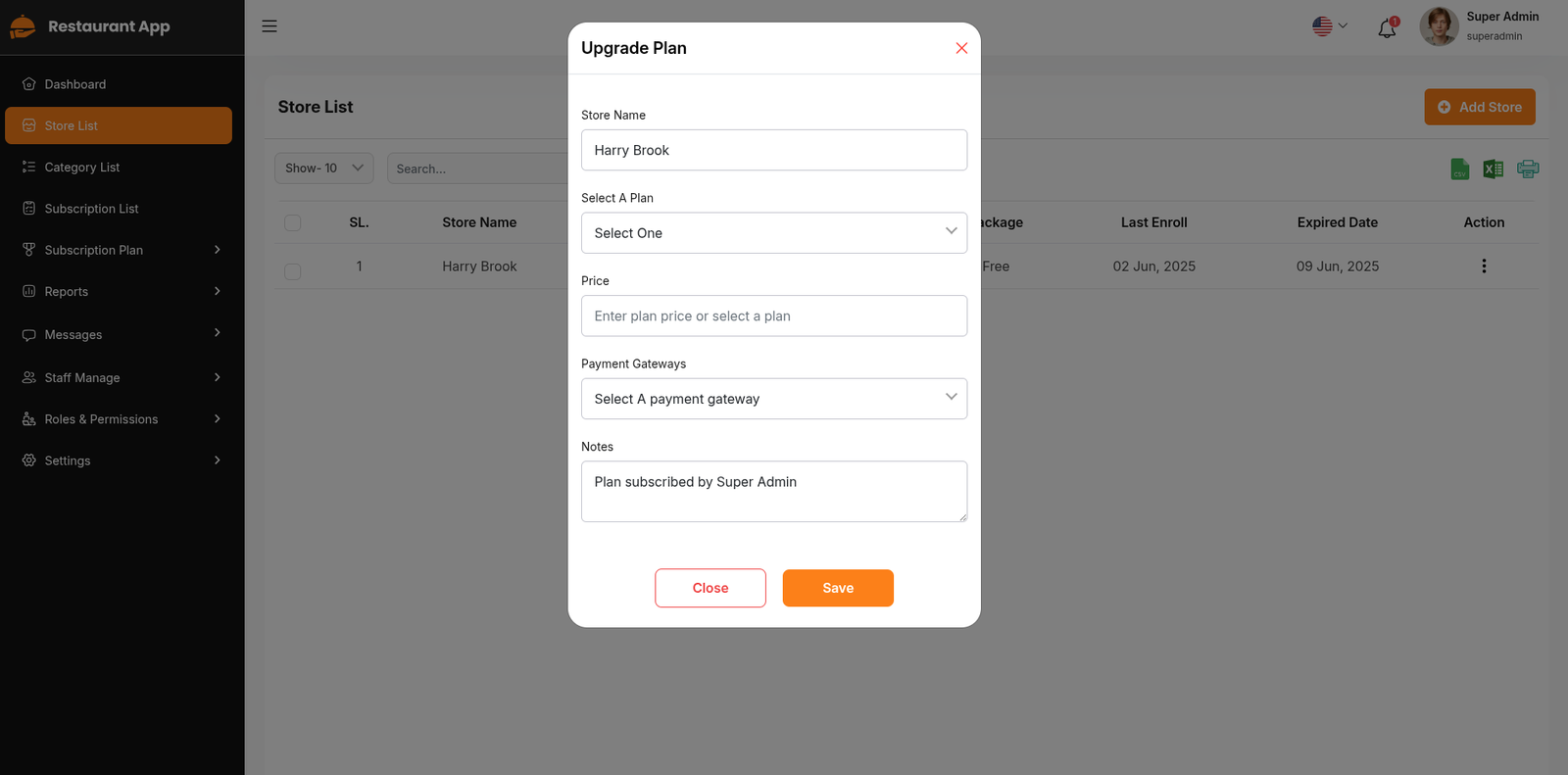
If you need to upgrade the plan for any business, click on the "Upgrade Plan" button. You will likely see a popup for this. Here, you can update the plan, gateway, price, and notes. When you select a plan, the price input field will automatically fill in according to the selected plan, but you can also change the price manually. If desired, you can add a note by filling in the notes input field.
Add New Store
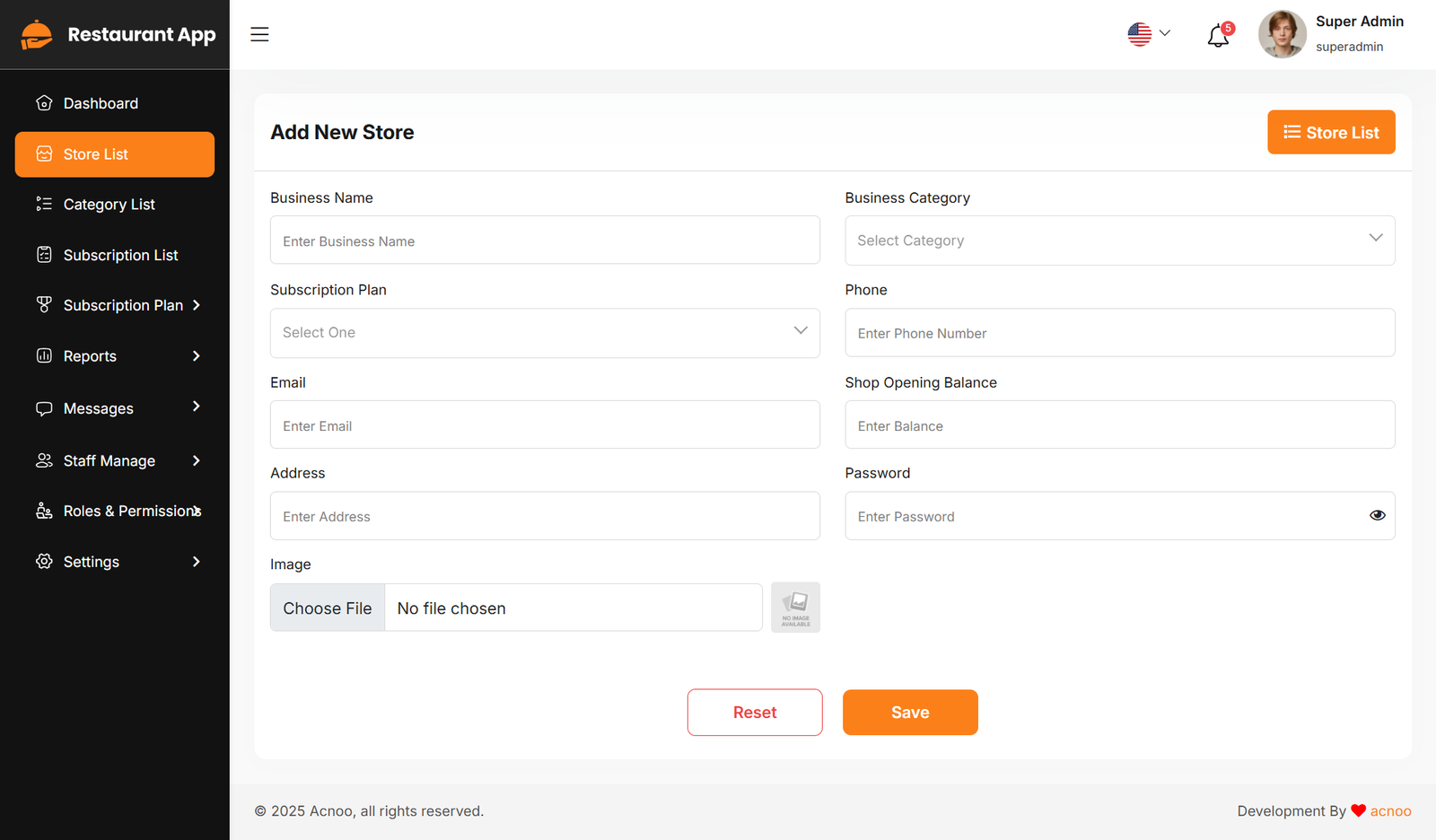
By clicking on the "Add Store" button, you can create a new business. You will need to fill in the necessary fields. Here is the screenshot of the create business page.
← Dashboard | Index | Category List →