Kitchens
You can access the online store by clicking the "View Web" button in the top corner of the restaurant panel.
All Kitchen
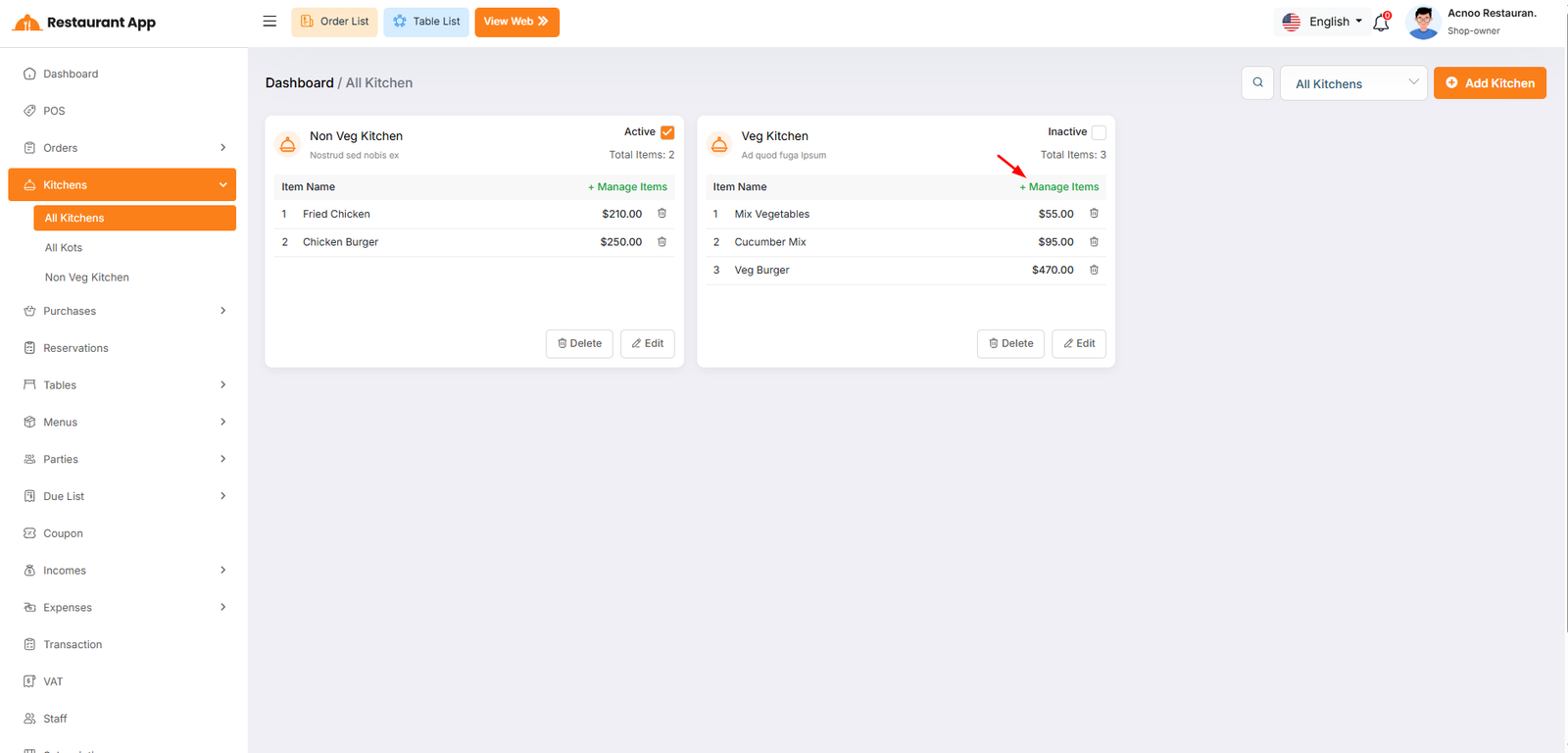
The Kitchens module is designed to streamline restaurant operations by separating food preparation into logical units (e.g., Non-Veg Kitchen, Veg Kitchen). This ensures that orders are routed to the correct staff and inventory is managed efficiently.
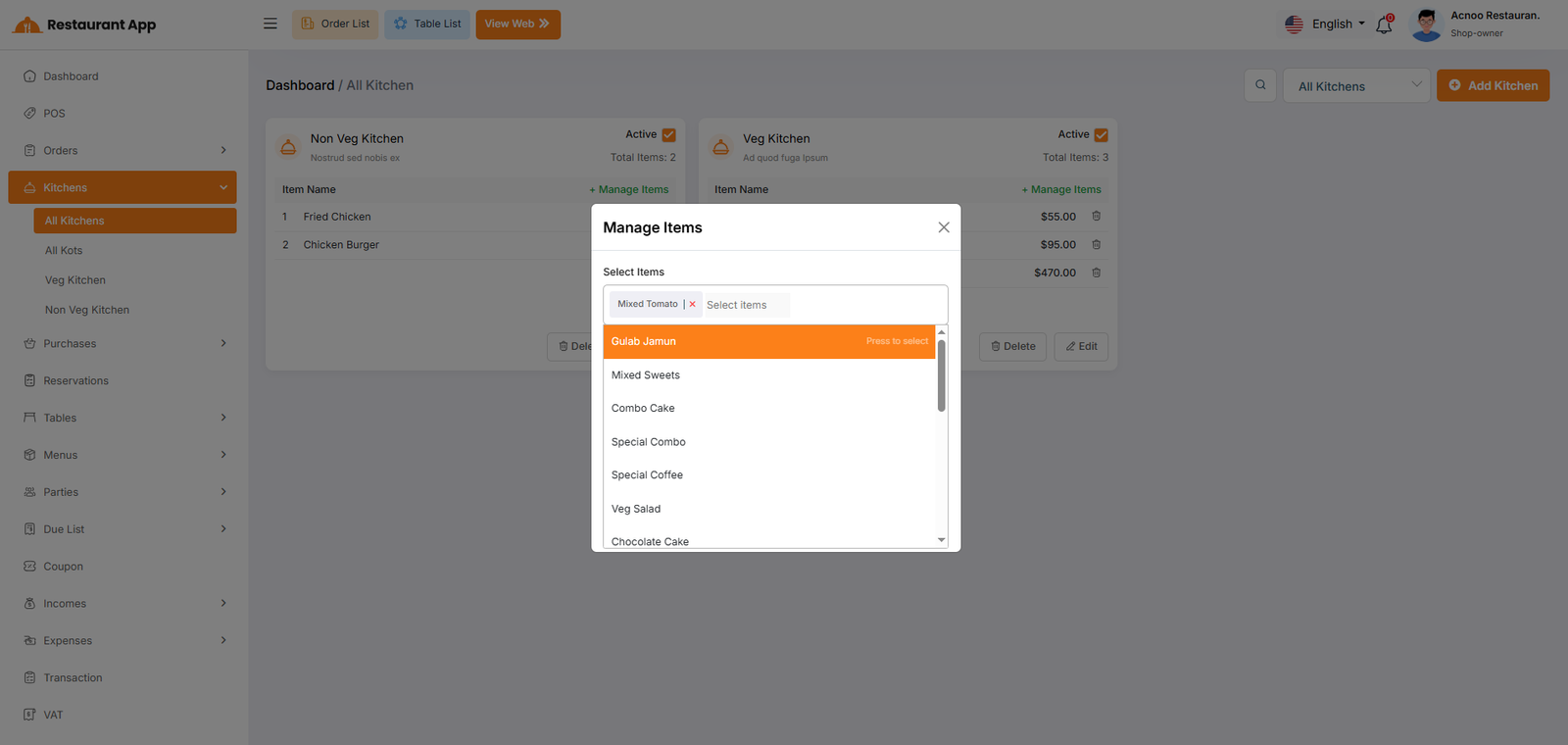
Manage Items
- Operational Segmentation: It allows a restaurant to split food preparation into specific stations, such as a "Veg Kitchen" and a "Non-Veg Kitchen".
- Order Routing: By assigning items to specific kitchens, the system ensures that when an order is placed, the ticket is sent to the correct preparation area.
- Status Control: Owners can quickly toggle a kitchen to "Inactive" if a station is closed for the day, preventing orders from being routed there.
All KOTS
You can access the online store by clicking the "View Web" button in the top corner of the restaurant panel.
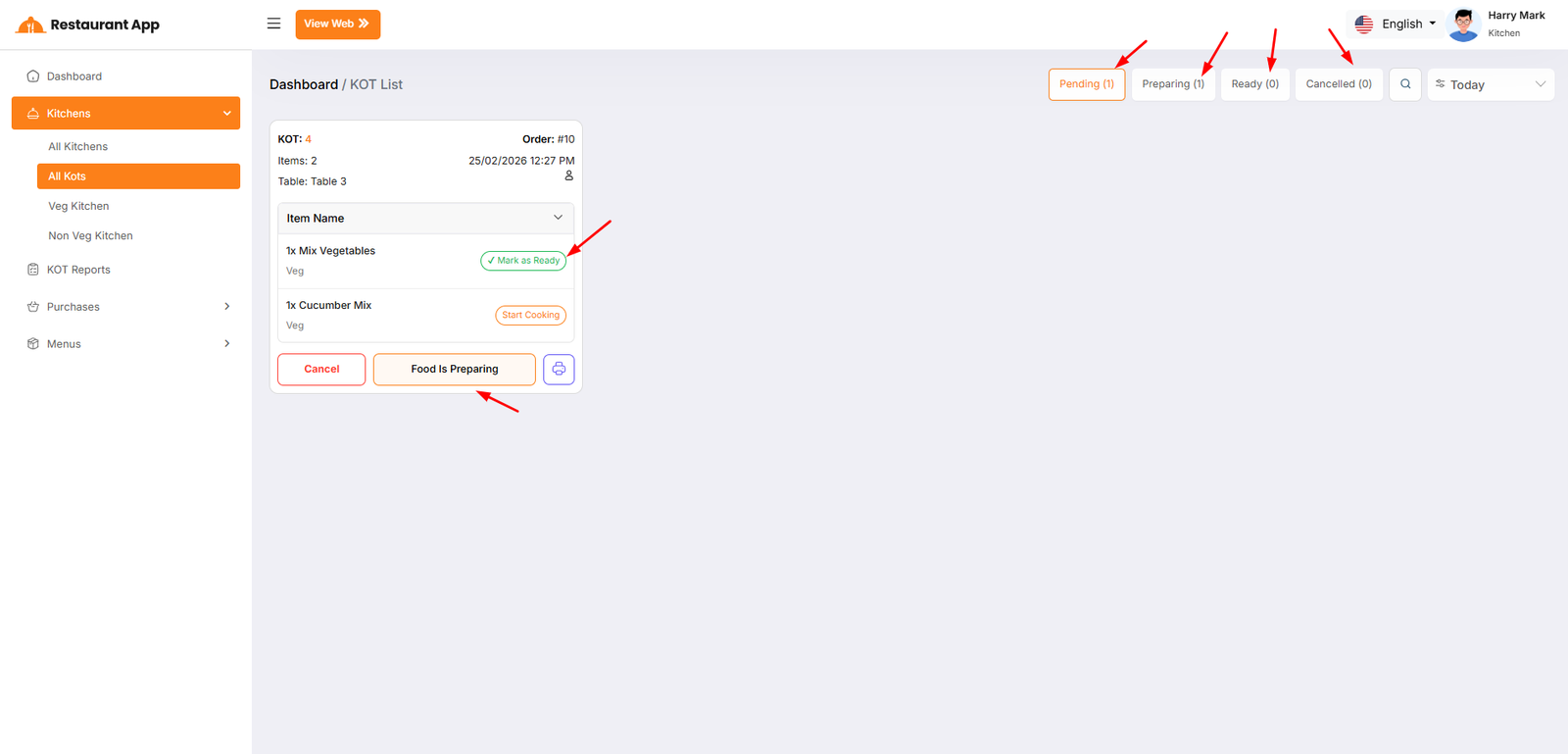
Individual Item Status Controls
Each dish within a single order can be managed independently to account for different preparation times.
- Start Cooking: When a chef begins preparing a specific dish (e.g., Basmoti Rice), they trigger this action. This moves the item from a "New" state into an active preparation state.
- Mark Ready: Once an individual item is finished, the chef selects this option. This signals that the specific dish is plated and waiting for the rest of the order.
- Ready: The final state for an individual item, confirming it is complete and ready to be served or packed.
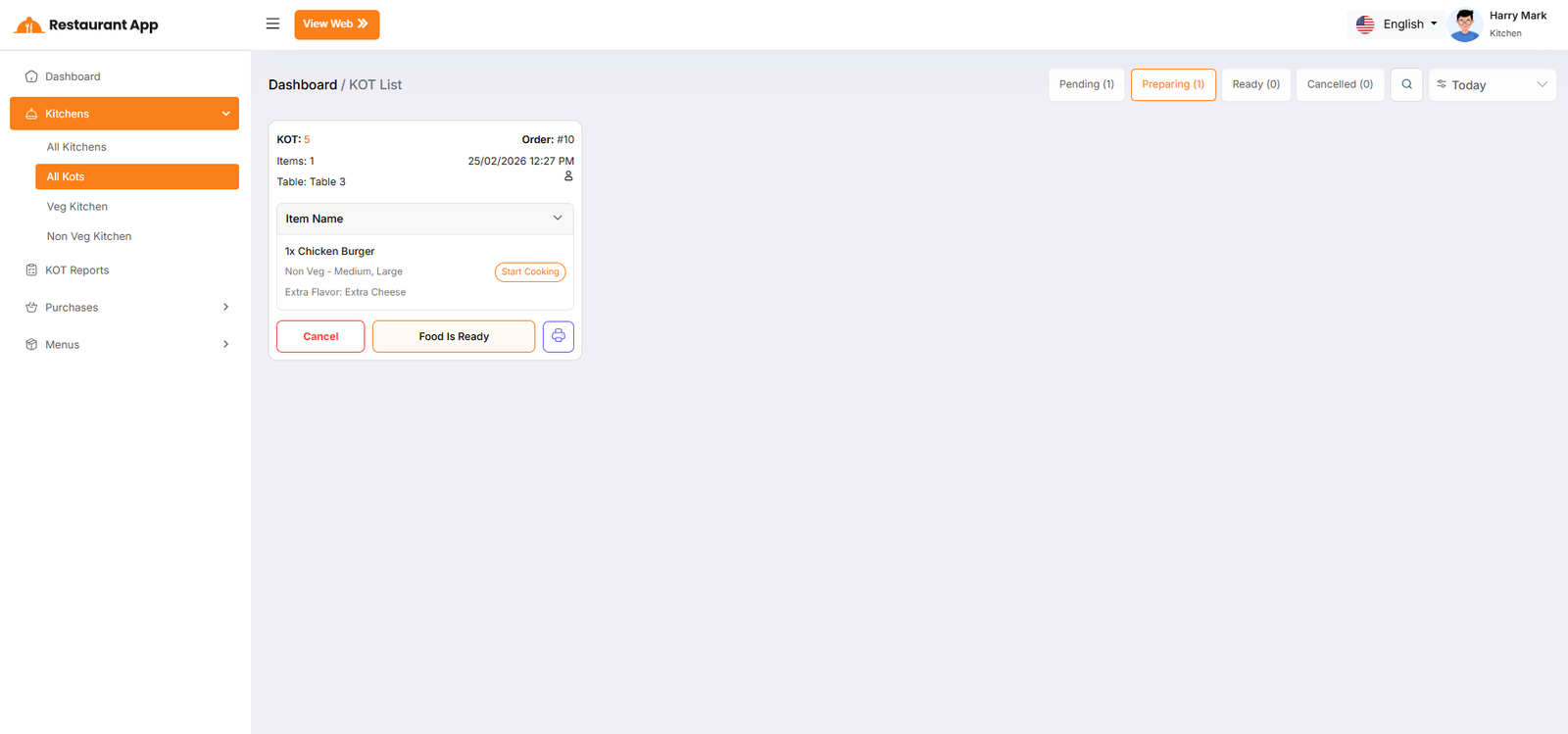
Global KOT (Full Order) Statuses
While individual items are being prepared, the entire order moves through a global lifecycle that is visible on the KOT List and the customer's My Orders page.
- Pending: The initial state of the full order immediately after the customer clicks Place Orders. It remains here until the kitchen acknowledges the ticket.
- Preparing: The global status automatically shifts to Preparing as soon as the first item in the order is set to Start Cooking. This provides live transparency to the customer that their meal is on the line.
- Ready: Once all individual items in a ticket are marked as finished, the global KOT status updates to Ready. This alerts waitstaff (for Table: Special) or drivers that the entire order is ready for pickup.
- Cancelled: If the restaurant cannot fulfill the order due to ingredient shortages or other issues, the status is set to Cancelled. This stops the preparation process and notifies the customer immediately.