X Reports
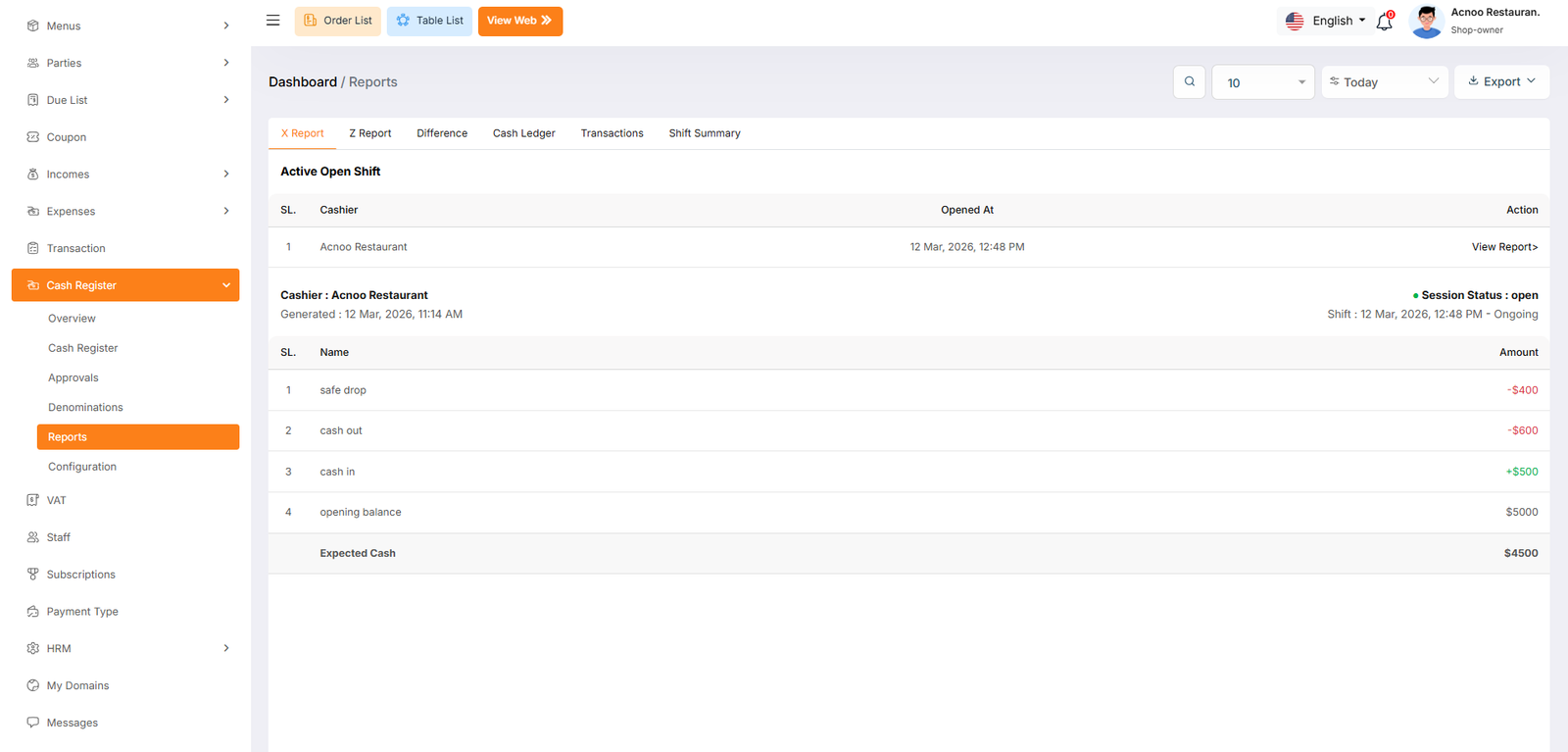
The Open Shift Report, commonly known in the industry as an X Report, provides a summary of the current, active business session. Unlike a closed report, this document reflects live data for a shift that is still ongoing and has not yet been finalized by a manager.
This section identifies the current state of the register before any closing procedures have begun:
- Session Status: Marked as "Open" or "Ongoing". This indicates that the cashier is still actively processing transactions and the drawer is still in use.
- Opening Time: Records the exact moment the drawer was started (e.g., 12 Mar, 2026, 12:48 PM). This is useful for tracking how many hours the current cashier has been handling the register.
Z Reports
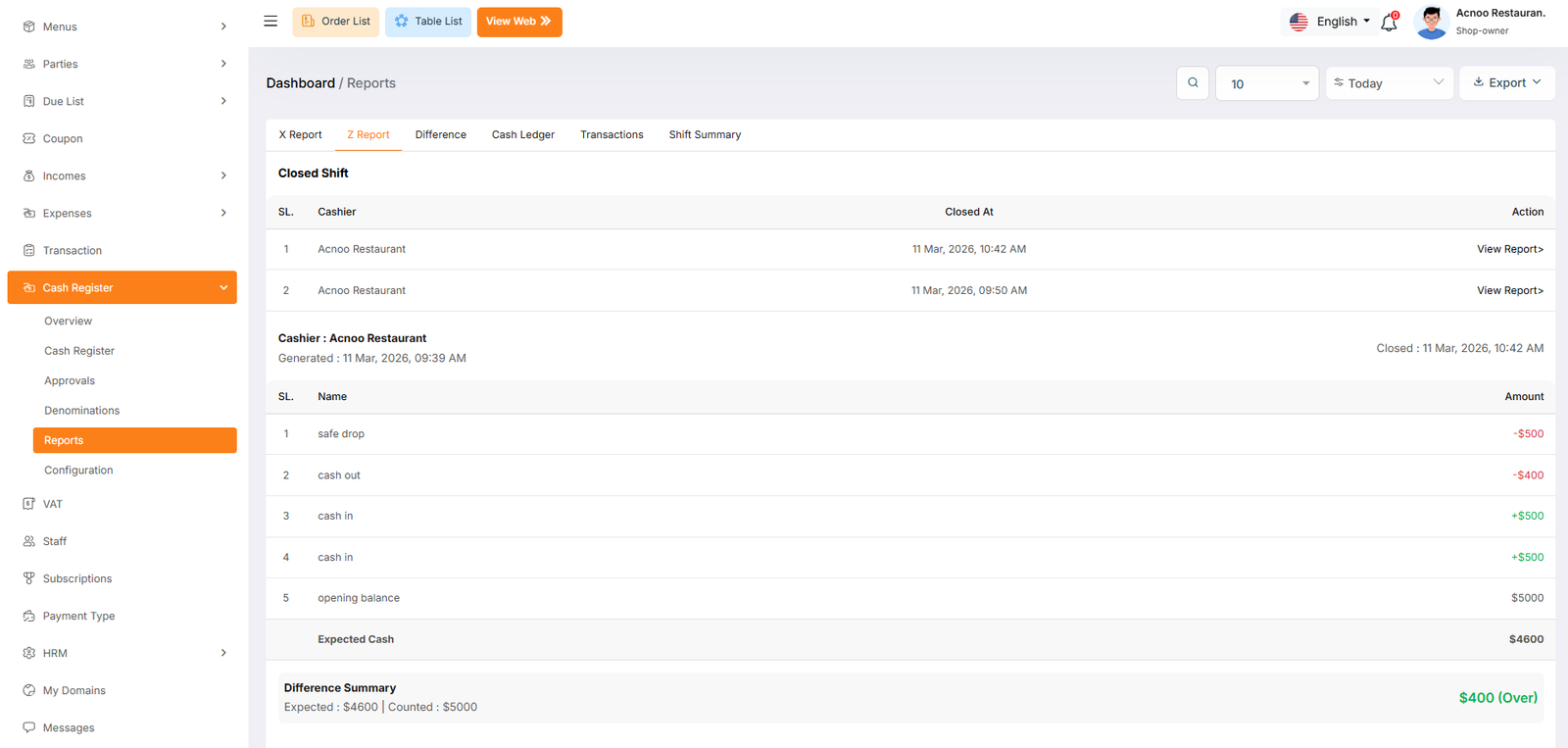
The Closed Shift report, traditionally known as a Z Report, provides the final financial summary of a completed work session. Unlike the X Report, which shows unclosed data, the Z Report is generated after a cashier has finished their shift and the drawer has been officially closed for reconciliation.
Closed Shift History
This section lists all historically completed shifts. It is used by management to review past performance and audit previous days.
Difference
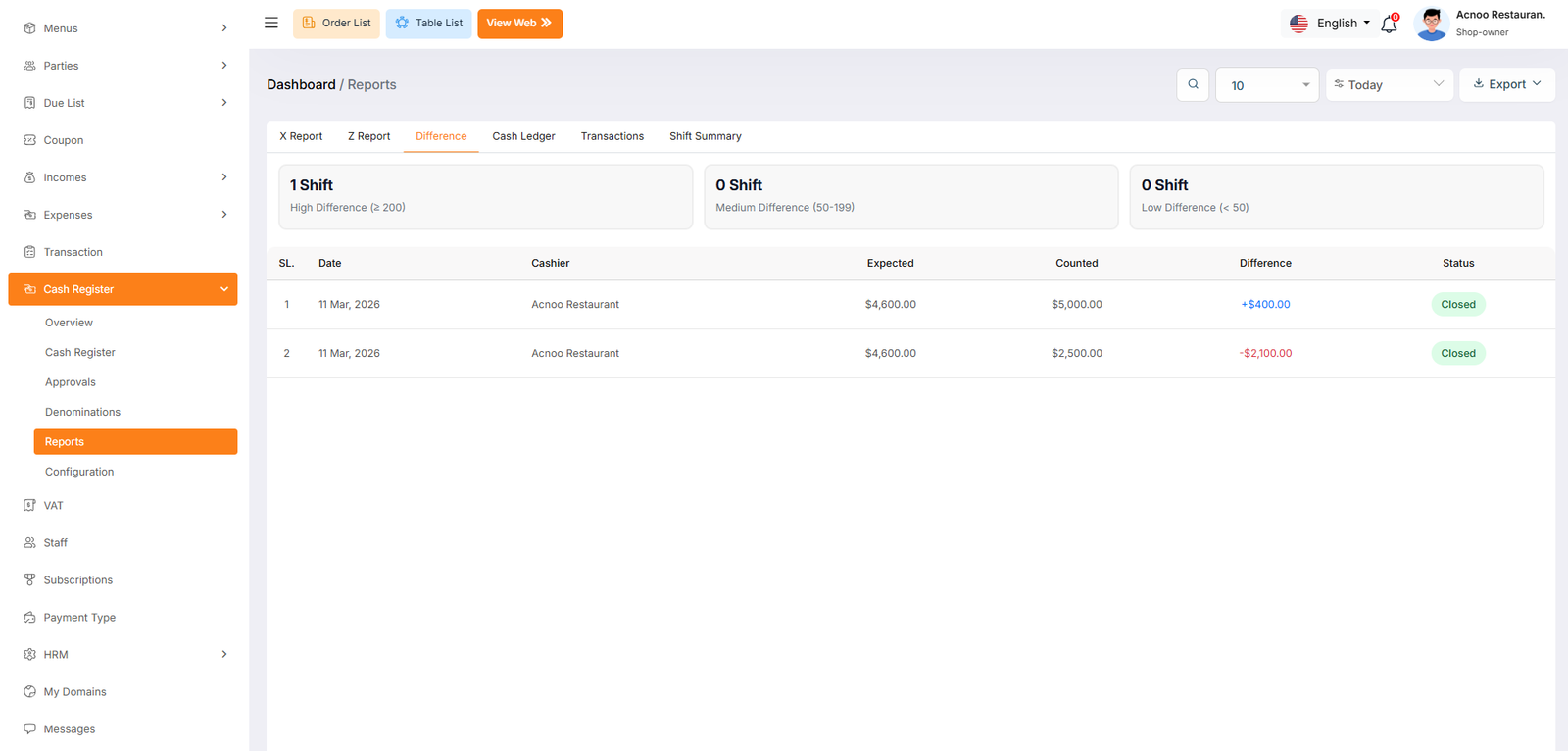
The Difference report is a specialized auditing tool used by management to track and categorize financial discrepancies. This page automatically flags shifts where the physical cash count does not match the system's expected total, allowing you to prioritize the investigation of significant losses or gains.
Difference Categorization Cards
At the top of the page, the system automatically groups shifts based on the severity of the discrepancy.
Cash Ledger
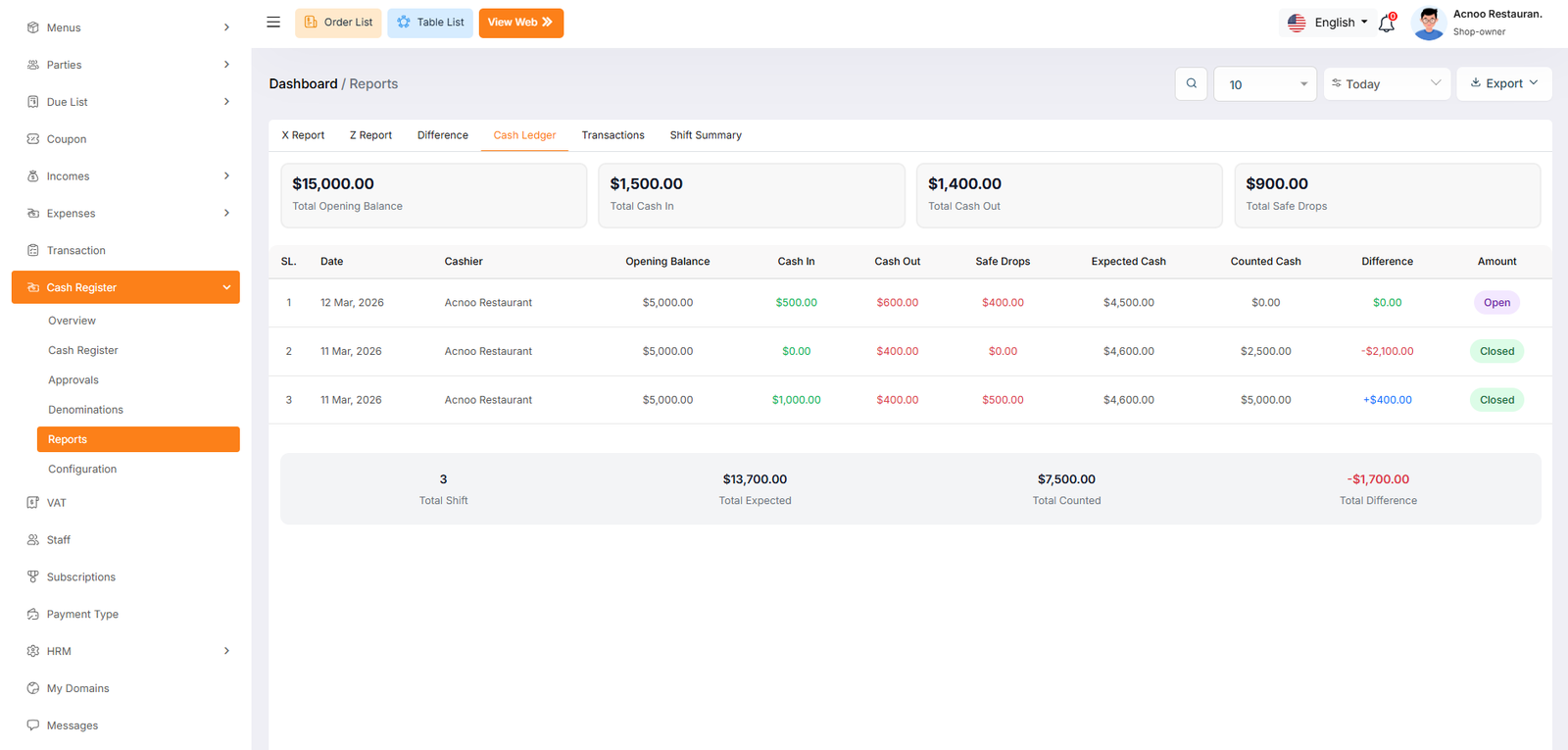
The Cash Ledger is the most comprehensive reporting view within the Cash Register module. It provides a complete, high-level overview of all financial activity across multiple shifts. This page is designed for deep auditing, allowing you to see exactly how cash moved from the moment a shift opened until it was finalized.
Aggregate Summary Cards
The top section provides a combined total for all shifts currently displayed in the list. This is useful for daily or weekly financial balancing.
Transactions
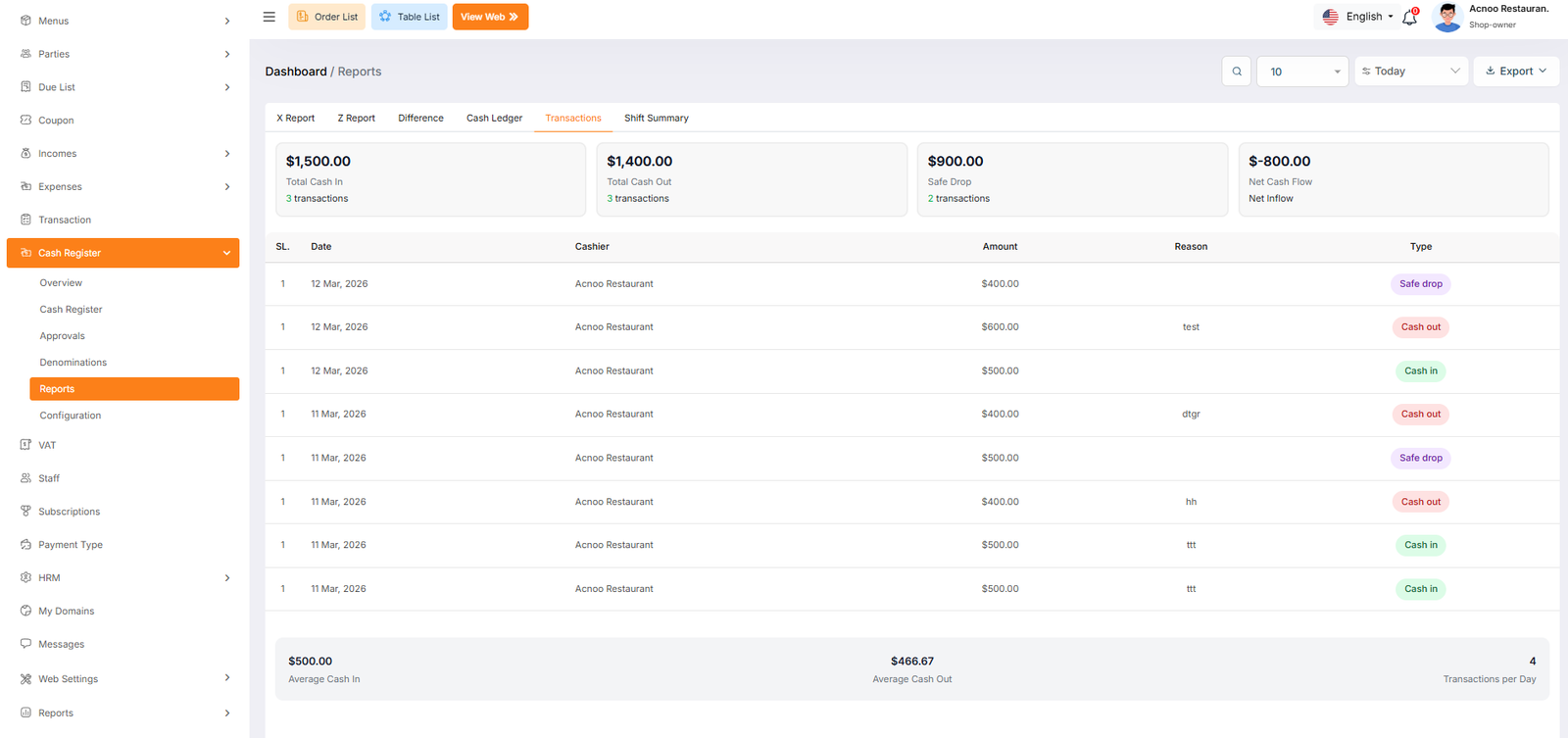
The Transactions report tab provides a detailed breakdown of every individual cash movement recorded within the system. While the Ledger provides a shift-level summary, the Transactions page is designed for auditing the specific "Why" and "When" of every dollar that enters or leaves the register.
Transaction Performance Cards
The top section summarizes all manual movements and automated inflows for the filtered period.
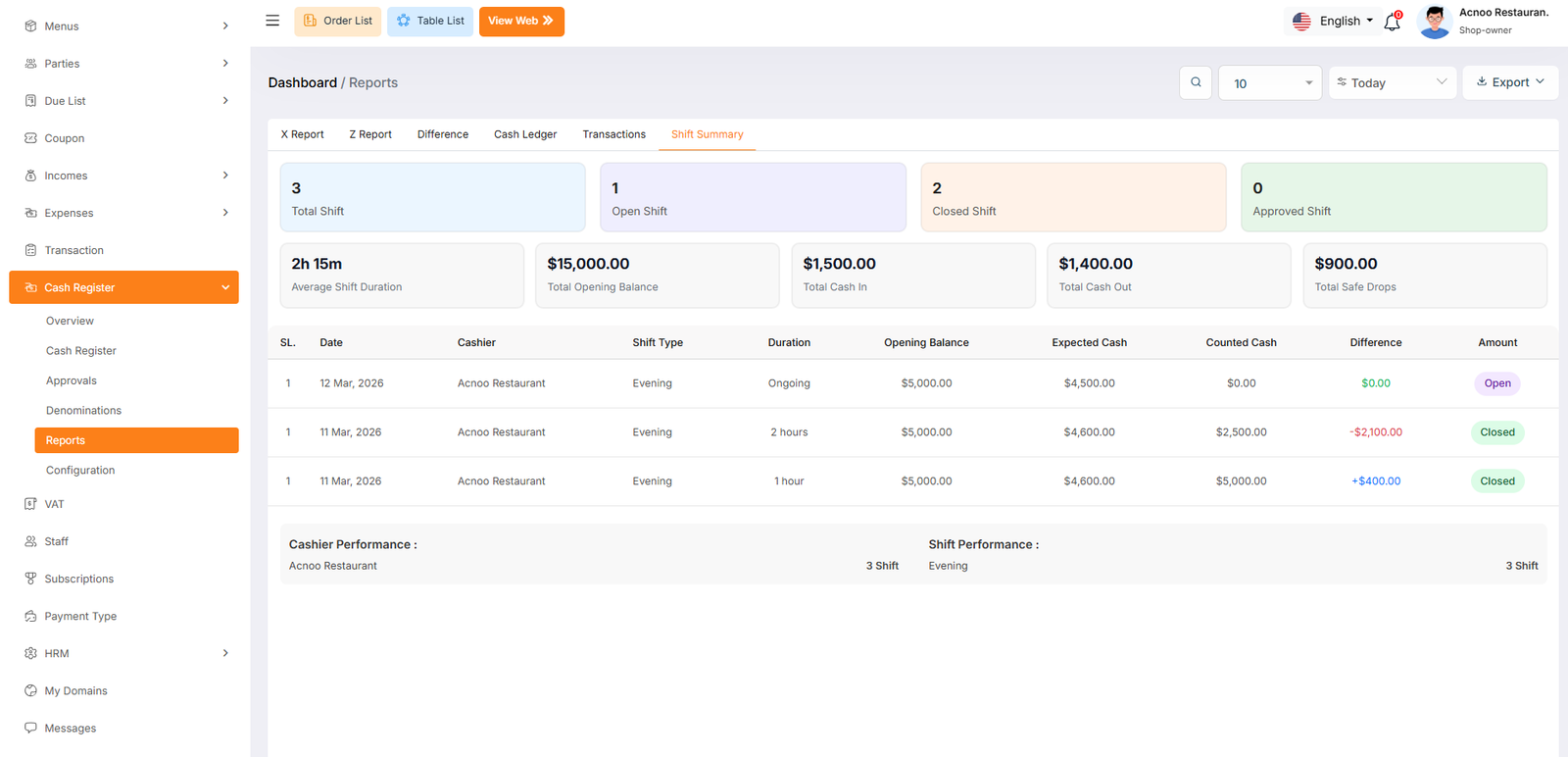
Shift
The Shift Summary tab provides a high-level analytical view of all cashier sessions. It is designed to help management monitor labor productivity, shift patterns, and overall financial accuracy across multiple time periods. This report focuses on the operational health of the register system.
- Cashier Performance: Lists how many shifts each specific staff member has completed (e.g., AppzetBilling Restaurant - 3 Shifts).
- Shift Performance: Tracks volume based on the time of day (e.g., Evening - 3 Shifts), helping you identify your busiest operating windows.