Creating Database
Before installing, you will need to create a new database. If you already know how to do this or have already created one, skip to the next step.
note
Please use an empty database. In most cases you should be able to create a database from your cPanel.
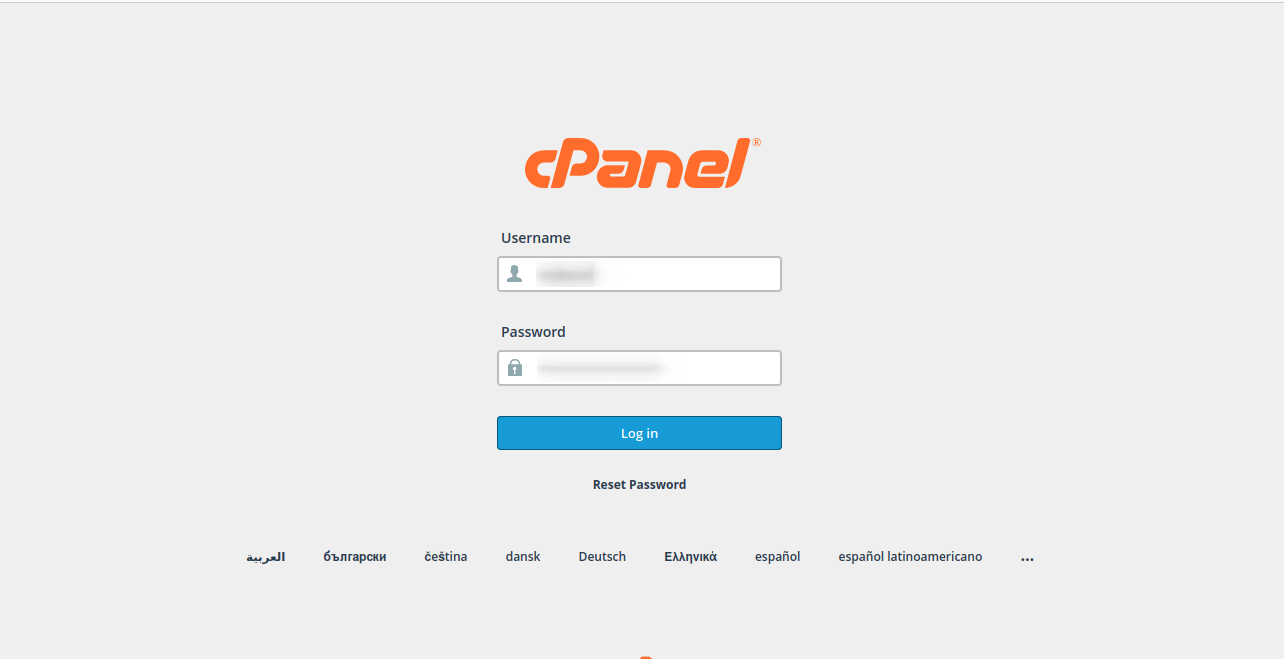
Login to your cPanel by entering this in your browser URL:
yourdomain.com/cpanel
Step: 1
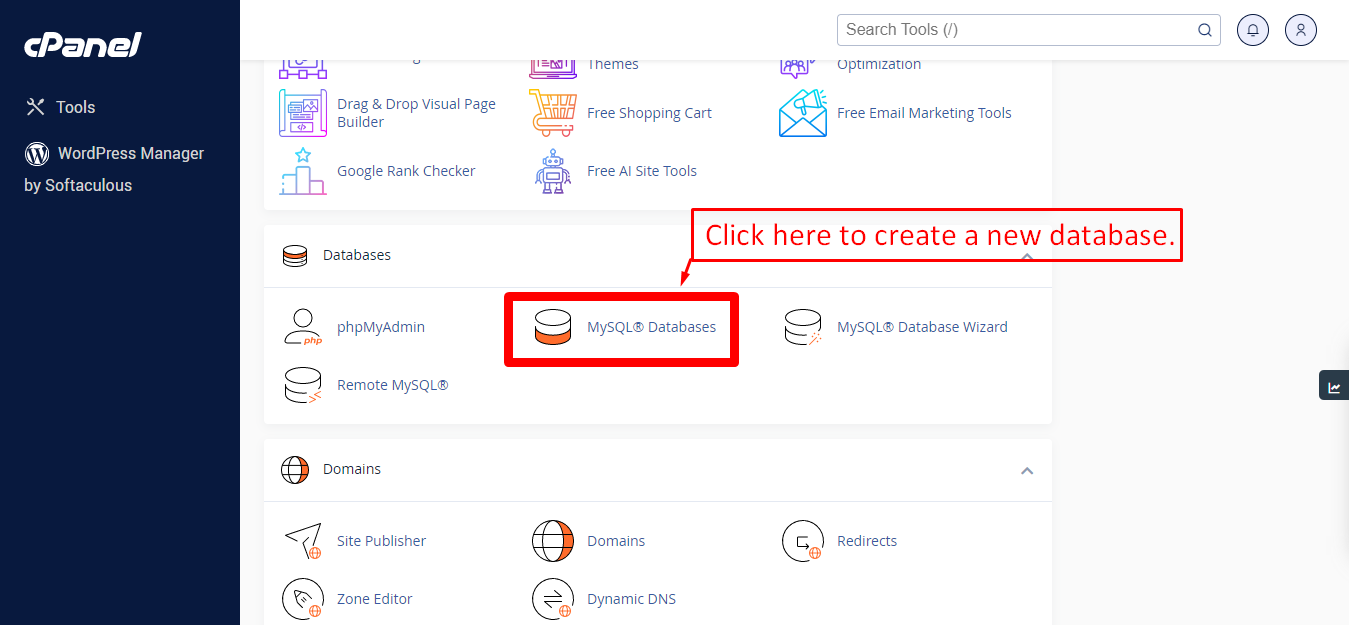
Step: 2
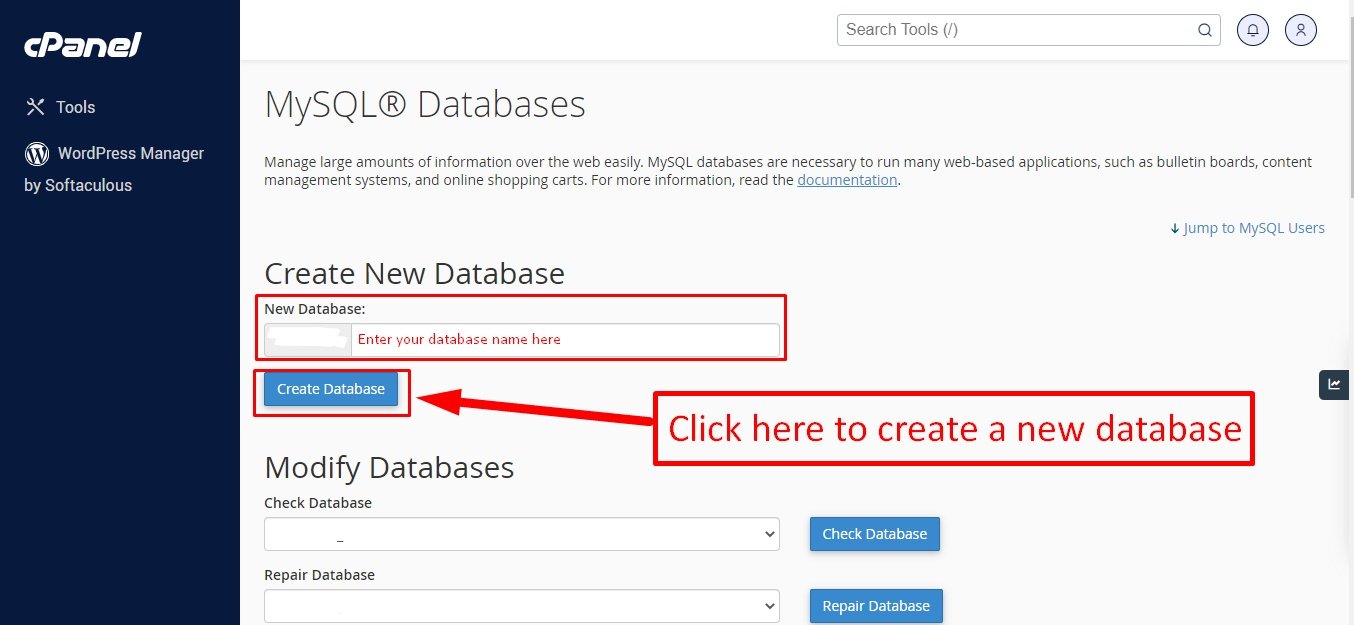
Step: 3
Now you need to create a new user. On the same page go to create a new database user.
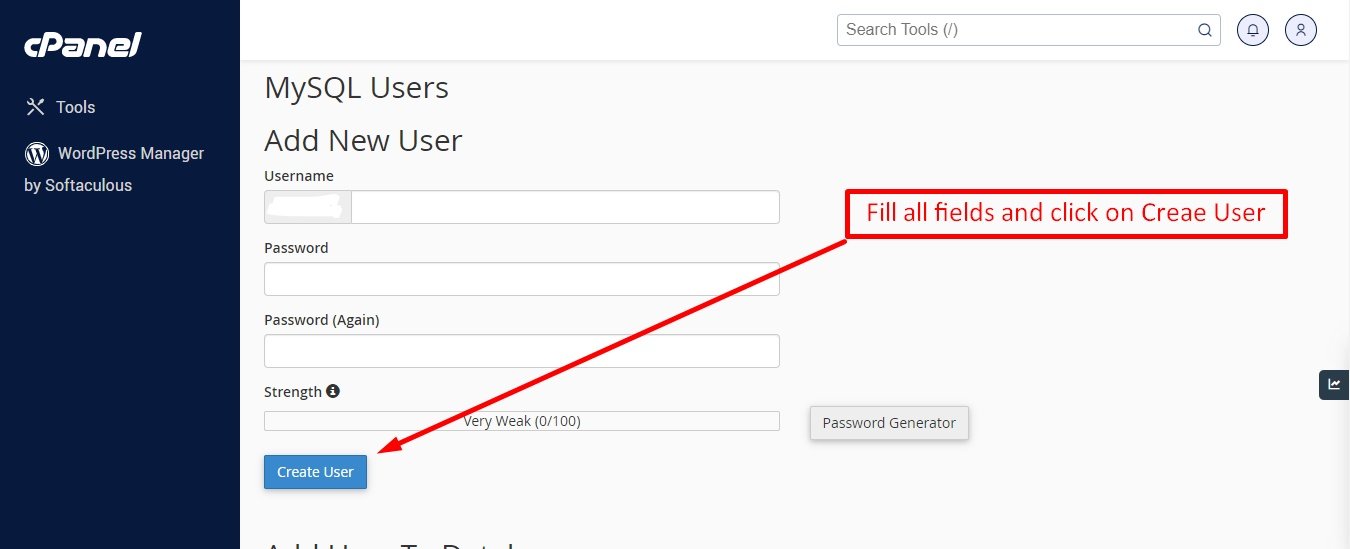
Step: 4
Now add the user to the database.
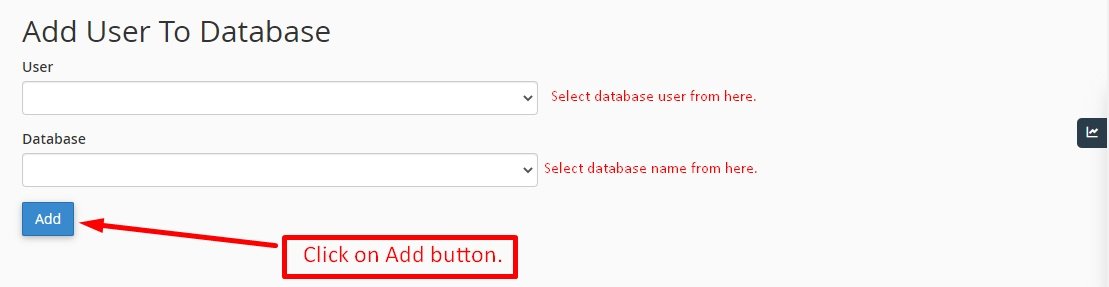
Step: 5
And select full permissions on the database to that user.
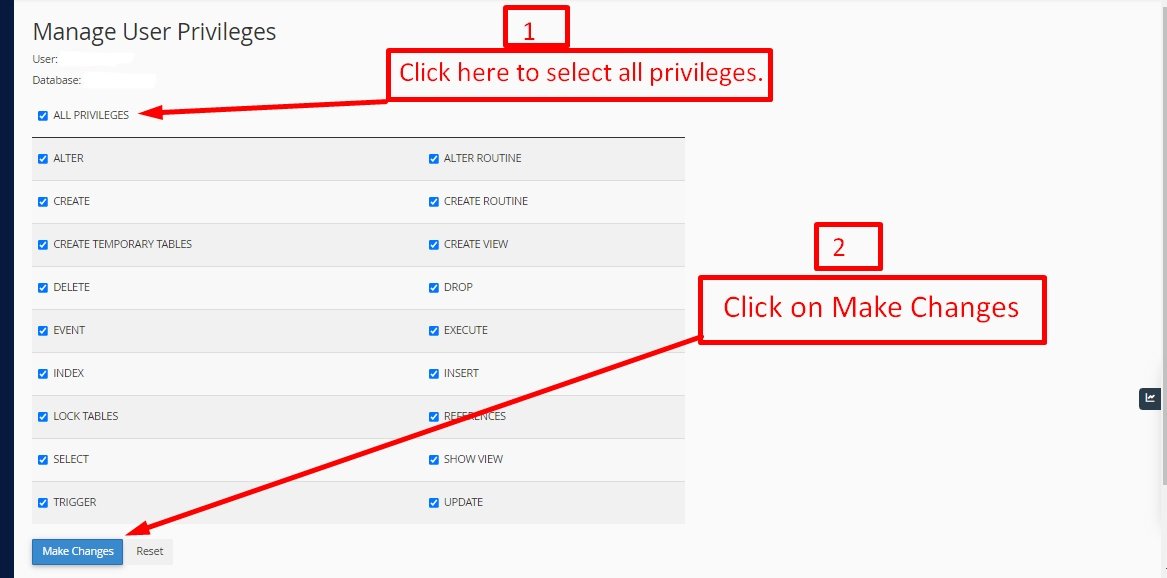
← Download from Envato | Index | Uploading Files →